FinanceEstablished model
Team expense and reimbursement desk

Let people finish the work without chasing their expenses.

A team member pays for something the business needed, then spends weeks chasing a receipt and a reply. A clear expense workspace could make the next step visible to everyone involved.

Make this fit me
You could also build this as a mobile app
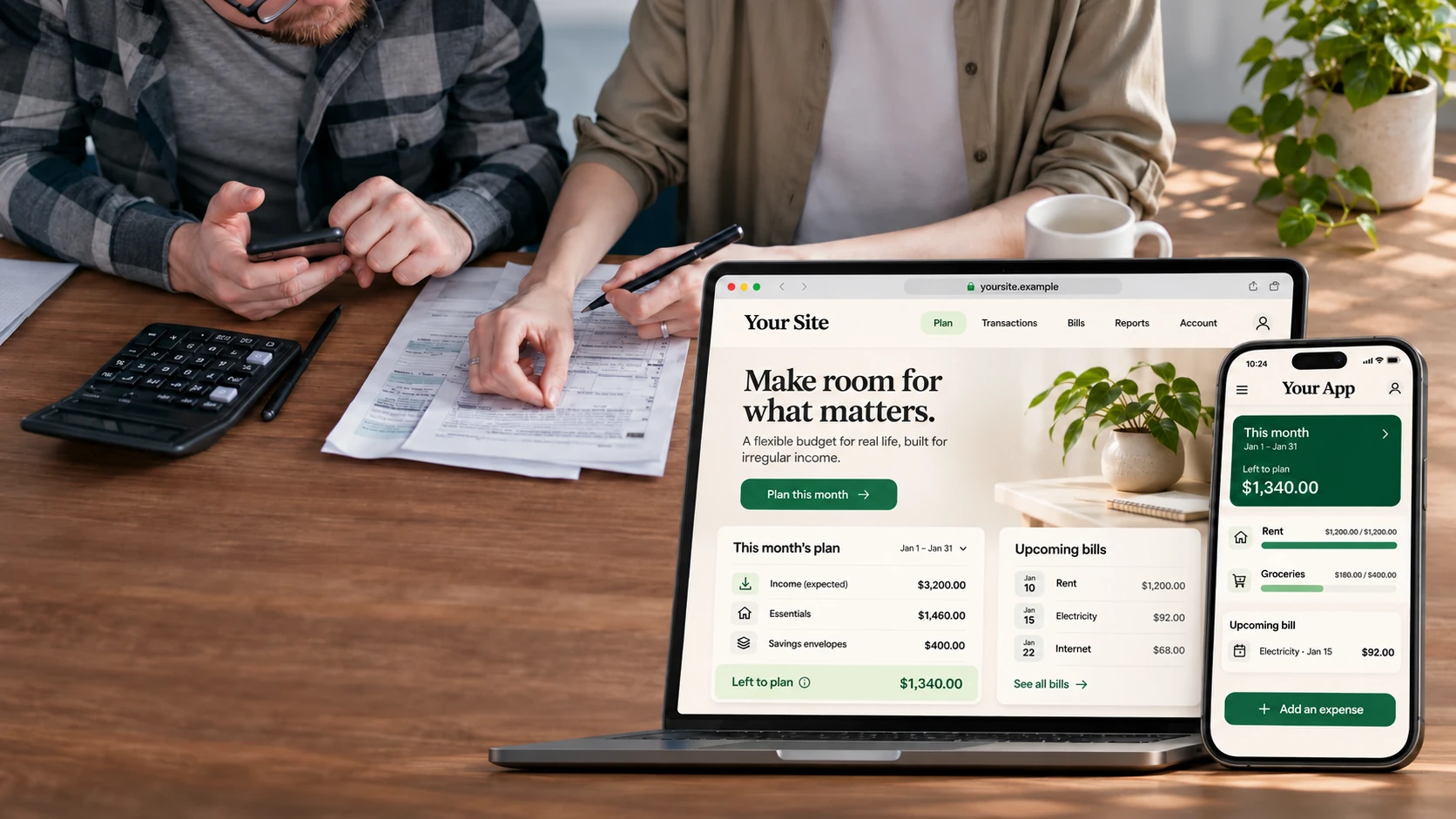
Team expense and reimbursement desk concept: Close-up of hands working on finance planning with documents and a smartphone calculator. A desktop website and matching phone show the digital business.Illustrative concept
IMAGINE THIS MOMENT

A team member buys materials for a client visit, then spends more time chasing reimbursement than buying them. The manager cannot find the receipt and finance does not know whether it was approved. Your desk could connect those steps without making the employee tell the story repeatedly.

A business you can
picture.

Build a service for teams to submit expenses, attach evidence and follow a claim from submission to approval. Keep the claim record separate from the actual movement of money.

Who would be glad
you built it?

Growing teams

Submit work expenses with the right evidence.

Approving managers

Review claims against a clear policy.

Finance staff

Prepare an accurate reimbursement record.

Where the money
could come from.

Employers could pay a recurring fee based on an understandable team-size band. They are buying a clearer reimbursement process and records. Onboarding, support, storage and accounting exports all cost time; any managed setup or payment-related service should have its own explicit scope and charge.

The part you could
make your own.

A simple employee view could differentiate your product from tools designed mainly for finance teams. Test whether clear status, plain-language requests and easy receipt capture reduce chasing while preserving the employer's review process.

An angle to test with the people you want to serve.

Start with something
worth using.

Start with receipt upload, expense categories, one approval route and a payment-status record. Keep the claim separate from actual payment execution, and let staff see when another piece of information is needed.

  • Receipt uploads and categories
  • Approval responsibilities and status
  • Reimbursement records and exports

Give the promise
something to stand on.

WHAT YOU BRING

You need to understand how a small employer approves spending and resolves missing evidence. A clear responsibility trail and dependable exports are more valuable than a complicated approval chart nobody follows.

Agree who can approve claims, how duplicates are handled and how records reach accounting. A submitted expense is not an approved reimbursement, and an approved reimbursement is not proof that payment arrived.

Let a small beginning
teach you something.

Pilot with a team that already reimburses ordinary travel or materials. Walk a handful of claims through submission, approval and recorded payment, noting where staff still resort to private messages.

THE QUESTION TO TEST

Can an employee see the next action on a claim without asking several colleagues for an update?

Look for these signs

  • Claims arrive with usable evidence
  • Approvals have a visible owner
  • Payment records match approved claims
WHEN THE FIRST VERSION HAS TAUGHT YOU MORE
Where you could take it next

You could later add policy checks, accounting connections and carefully reviewed receipt extraction.

A little more
clarity.

Will the service pay employees directly?

The starting workspace can prepare and track approved claims while the employer uses its existing payment process. Direct payment is an additional integration with separate permissions, controls and provider responsibilities.

What if a receipt is missing?

Let the employer define its evidence policy and exception process. The platform should record the reason and responsible decision instead of silently approving an incomplete claim or making staff restart the whole submission.

SOMETHING TO LEARN FROM

Expensify provides an example of expense management software.

WHAT COULD GO INSIDE

A few additions
to explore.

Document and information collectionGive customers a clear preparation list and your team one place to see what has arrived, what is missing and what needs review.Internal review and approval stepsGive your team a clear way to know which version was reviewed, what was decided and who can move the work forward.Connections between business toolsLet the right details travel with the work, so your team can spend less time copying them between business tools.
MAKE ROOM FOR YOUR VERSION

Now picture it
with your name on it.

Your people. Your priorities. The version you keep thinking about. Answer a few questions and leave with a starting plan you can keep.

Free to explore. No account or email needed for your starting plan.
PICTURE THE MOBILE APPExpense capture app

Catch the receipt before the day runs away with it.

The purchase has happened, the receipt is in a pocket and the explanation may be forgotten by Friday. You could build an expense app that lets staff capture the record straight away and gives reviewers a clear next step. Start with the spending and approval rules of one kind of team.

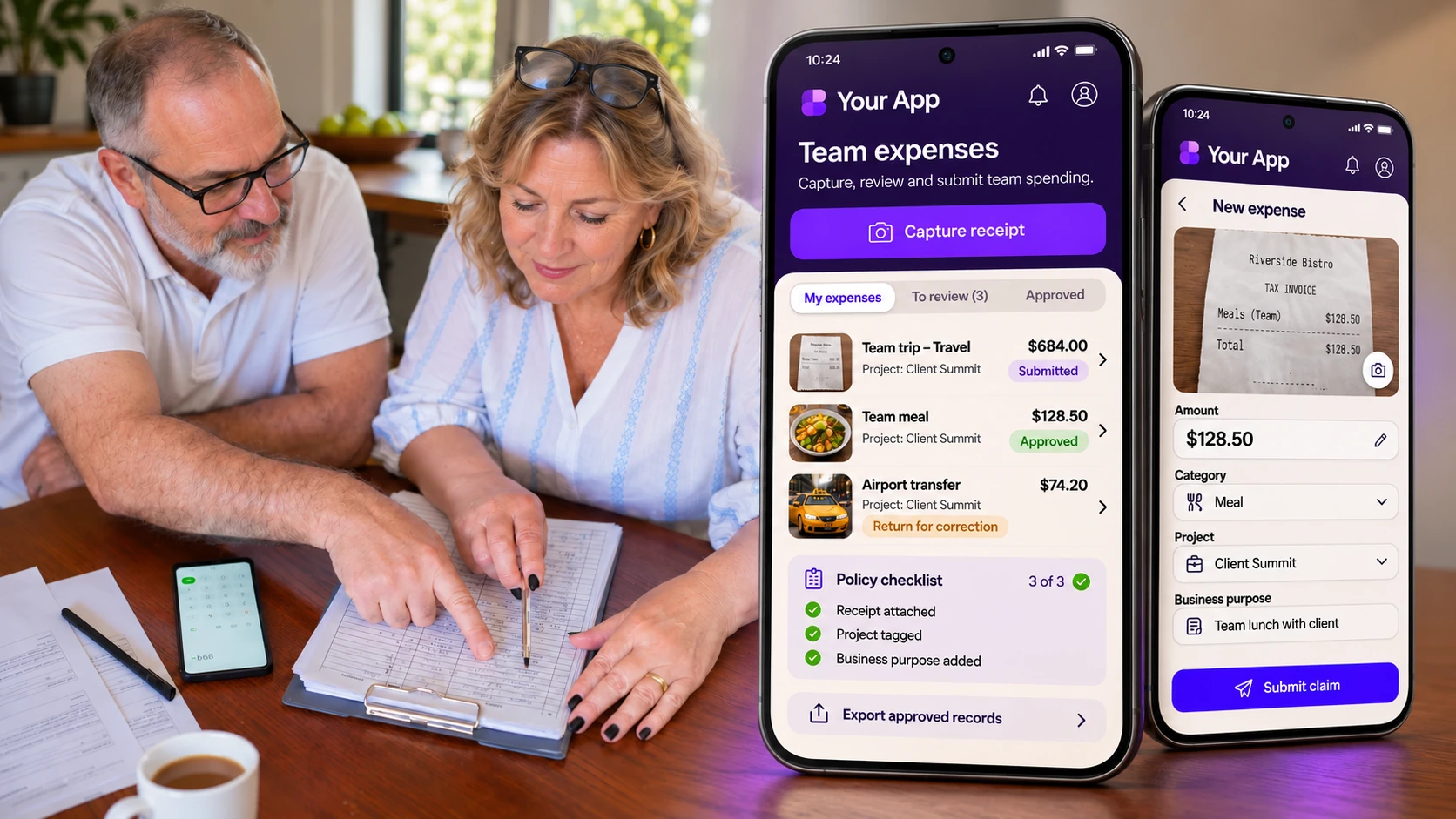
Close-up of hands working on finance planning with documents and a smartphone calculator. Two phone screens preview the expense capture app, with no desktop view.App concept
IMAGINE THIS MOMENT

An employee pays for materials on the way to a job. Days later, the receipt is faded and nobody remembers which project it belonged to. Your app could help them capture the purchase while it is fresh, leaving the reviewer a clear explanation instead of another round of chasing.

One useful moment.
A reason to open it.

An employee photographs a receipt, checks the amount, adds its purpose and submits it to the right reviewer before leaving the purchase behind.

Who would be glad
you built it?

Travelling staff

Record a purchase before its details are forgotten.

Team reviewers

See the purpose and supporting receipt together.

Finance administrators

Export approved records with fewer missing fields.

A place in their life.
At the right moment.

Why it belongs on a phone

The receipt is available at the moment of purchase. Camera capture, quick context notes and offline drafts make the phone useful before a small record becomes difficult to reconstruct later.

A reason to come back

Staff return whenever a work expense happens; reviewers return for their next approval batch. The app should make missing details visible while keeping corrections straightforward.

Camera & scanningWorks offlineOn-the-go records

Where the money
could come from.

A business could pay a subscription for staff capture and reviewer access. Setup for a particular policy can be a clearly scoped service. Support, receipt storage and any text extraction have ongoing costs. The team is buying a more usable expense process, not a guarantee that every claim is valid.

The part you could
make your own.

A focused version for field teams could make project and purchase purpose quick to record with one hand. Test that benefit with actual staff rather than adding a long universal expense form.

An angle to test with the people you want to serve.

Start with something
worth using.

Build receipt capture, editable amounts, project tags and a review queue. Allow a reviewer to request a correction. Agree the export format before adding payment or accounting connections.

  • Receipt photo and editable amount fields
  • Project, purpose and category tags
  • Submit, review and return-for-correction states
  • Exportable approved expense records

Give the promise
something to stand on.

WHAT YOU BRING

You need a team willing to explain its spending policy and approval responsibilities. Start with records and review rather than assuming you must move money or replace the accounting system.

Agree who can approve claims, how duplicates are handled and how records reach accounting. A submitted expense is not an approved reimbursement, and an approved reimbursement is not proof that payment arrived.

Let a small beginning
teach you something.

Use a small team's recent anonymised expenses to test the fields. Then let staff capture a limited set of new purchases and ask reviewers which records still require clarification.

THE QUESTION TO TEST

Can the reviewer understand the business purpose and decision needed without asking the employee to reconstruct the purchase?

Look for these signs

  • Receipts stay attached to their records.
  • Corrections explain what is missing.
  • Approved exports match the team's process.
WHEN THE FIRST VERSION HAS TAUGHT YOU MORE
Where you could take it next

You could later add policy checks, accounting connections and carefully reviewed receipt extraction.

A useful role for AI

The job it could help with

Suggest receipt amount, date and merchant from the photograph.

What stays in human hands

The employee checks every suggested field before submission; the reviewer still decides whether the expense meets policy.

A little more
clarity.

Can a photo fill in the fields?

Optional text extraction can suggest an amount and date, but the employee should check them before submitting. An incorrect suggestion must be easy to correct.

Does approval mean reimbursement has happened?

No. Keep approval and payment as separate states unless a verified payment workflow is connected. Staff should be able to see what each status actually means.

SOMETHING TO LEARN FROM

Expensify provides an example of expense management software.

WHAT COULD GO INSIDE

A few additions
to explore.

Document and information collectionGive customers a clear preparation list and your team one place to see what has arrived, what is missing and what needs review.Internal review and approval stepsGive your team a clear way to know which version was reviewed, what was decided and who can move the work forward.Connections between business toolsLet the right details travel with the work, so your team can spend less time copying them between business tools.
MAKE ROOM FOR YOUR VERSION

Now picture it
with your name on it.

Your people. Your priorities. The version you keep thinking about. Answer a few questions and leave with a starting plan you can keep.

Free to explore. No account or email needed for your starting plan.
KEEP THE POSSIBILITIES OPEN

Something else
might speak to you.