EducationNew concept
Workshop-to-worksite companion

Carry the lesson into the work that matters.

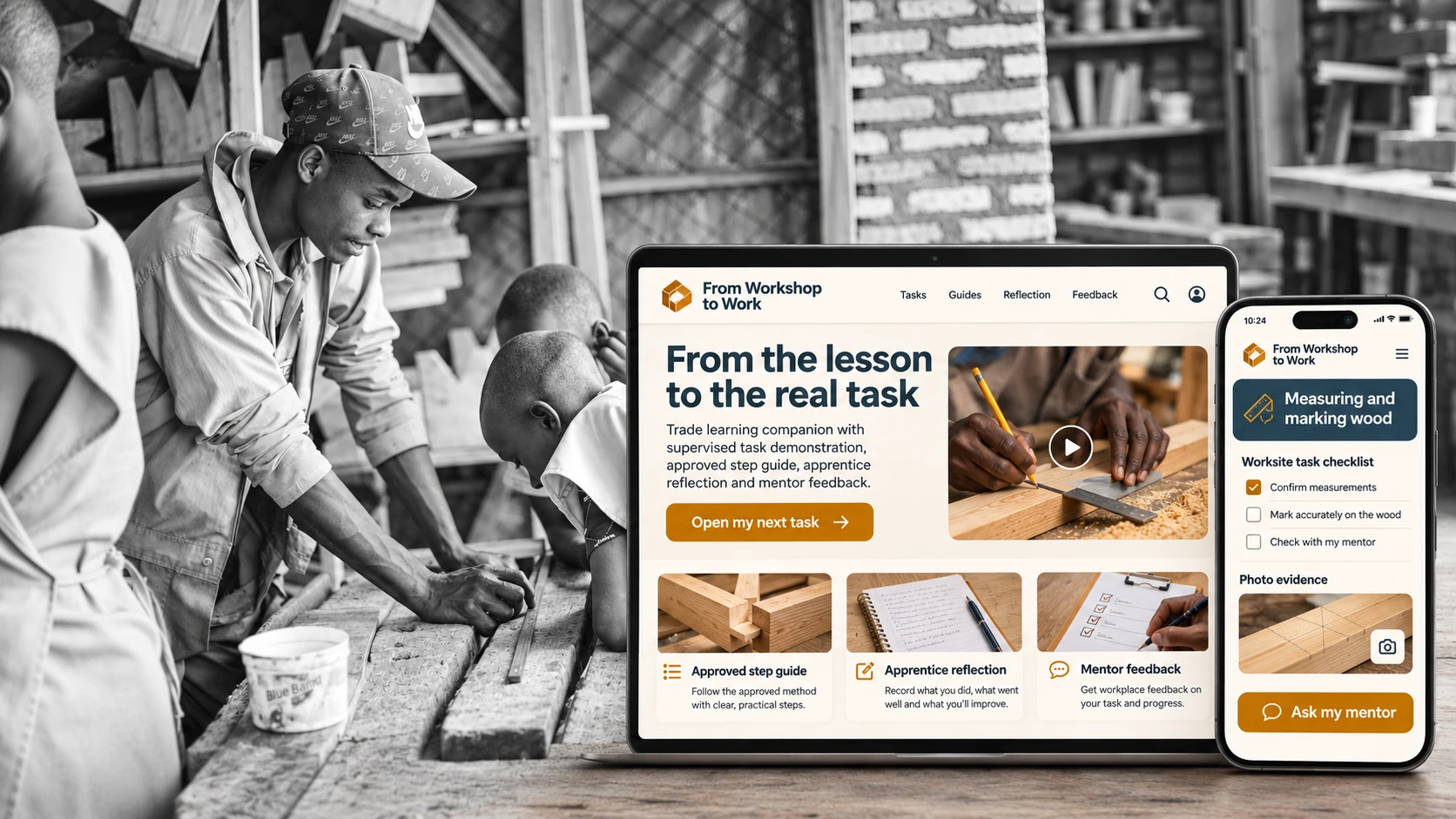
A learner can understand a demonstration and still feel unsure when standing beside the real job. You could build a companion service that keeps the approved lesson close, helps them prepare useful questions and gives their trainer a clearer picture of the next support they need.

Make this fit me
You could also build this as a mobile app
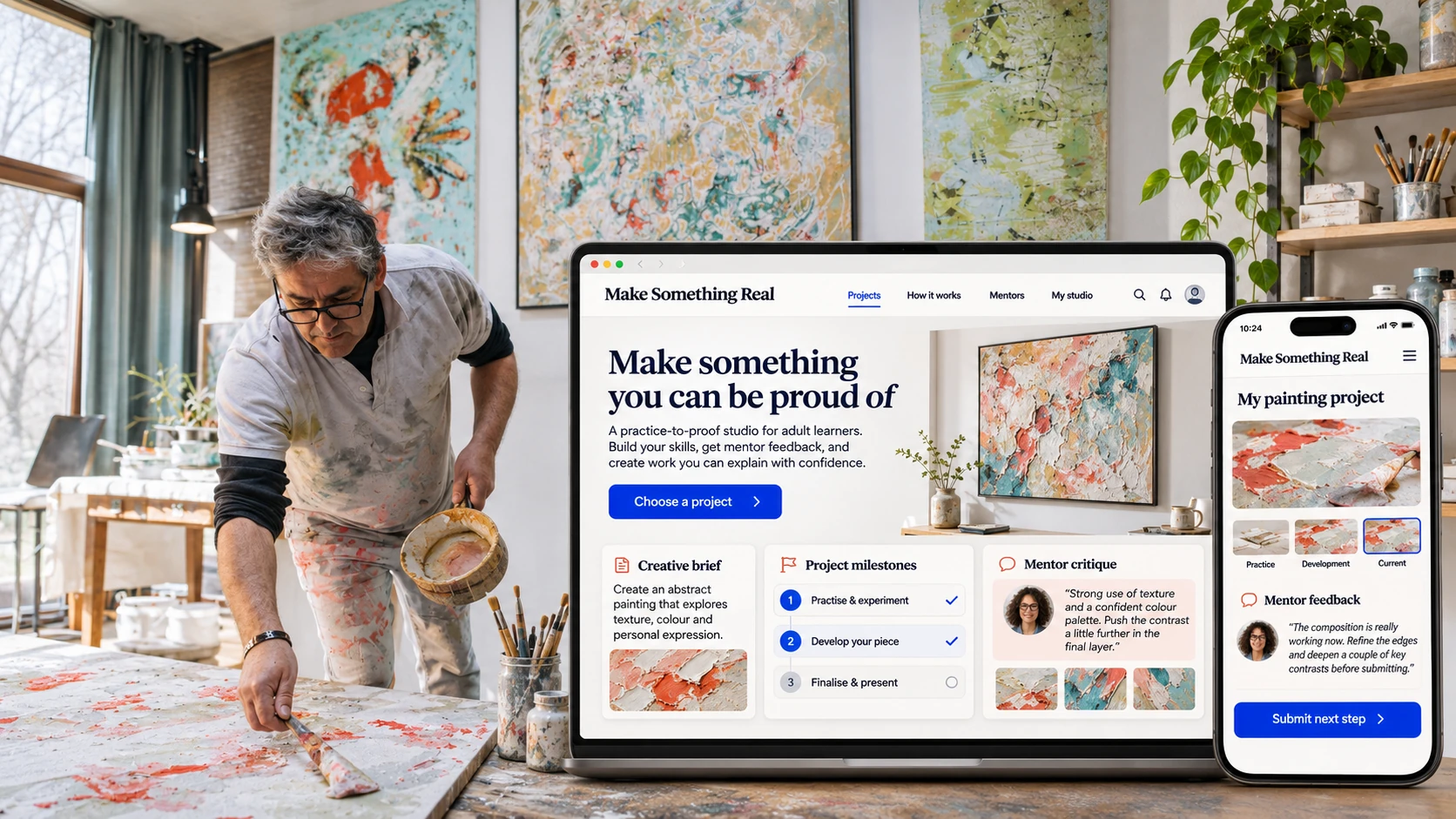
Concept for workshop-to-worksite companion, combining people engaged in the real activity with matching desktop and mobile interfaces.Illustrative concept
IMAGINE THIS MOMENT

A learner understood the demonstration in the workshop, then reaches the worksite and sees a detail that was not in the example. They hesitate between guessing and asking a vague question. Your service could help them find the approved lesson, describe the uncertainty and reach the right supervisor with useful context.

A business you can
picture.

Partner with a training provider in one trade. Trainers publish approved task guidance, learners record practice reflections and supervisors confirm which work they have actually observed.

Who would be glad
you built it?

Apprentices and trainees

A clear way to revisit approved instruction and ask for help

Training providers

A view of where learners become uncertain in practice

Employers supporting supervised learning

A shared record of agreed support and follow-up

Where the money
could come from.

A training provider could pay per cohort for the companion workspace and support. Preparing reviewed task material can be a separately scoped service. Fees should cover content upkeep, access and trainer coordination, while the provider remains responsible for teaching and supervision. The commercial promise is a clearer learning conversation, not automatic task competence.

The part you could
make your own.

Your proposed difference is connecting a question to the exact moment of uncertainty. A trainer may be able to respond more usefully when the learner can identify the step and approved example they were following.

An angle to test with the people you want to serve.

Start with something
worth using.

Choose one course and a small set of supervised tasks. Link approved material to common questions, let learners capture relevant context and route questions to a named trainer. Record responses and follow-up learning.

  • Keep approved guides available on a phone.
  • Collect questions and supervised practice notes.
  • Separate observed work from self-reported progress.

Give the promise
something to stand on.

WHAT YOU BRING

You need training partners and qualified reviewers for the actual subject. The tool must respect supervision and authority; a checklist or recorded lesson never becomes permission to perform work beyond the learner’s role.

Safety-critical tasks require appropriate supervision and qualified content review. The platform should never treat a checklist as permission to perform work beyond a learner's training or authority.

Let a small beginning
teach you something.

Trial the companion with a provider’s supervised cohort on suitable tasks. Ask learners to record where they became unsure, then review with trainers whether those questions lead to clearer targeted support.

THE QUESTION TO TEST

Does a learner’s recorded question give the trainer enough context to choose appropriate support without encouraging unsupervised guessing?

Look for these signs

  • Questions refer to specific approved material
  • Learners know who can authorise the next step
  • Trainer responses inform follow-up learning
WHEN THE FIRST VERSION HAS TAUGHT YOU MORE
Where you could take it next

Add offline access, local-language audio and supervisor feedback sessions. Later AI could organise questions for a trainer, with technical answers remaining reviewed and attributable.

A little more
clarity.

Can the app tell a learner to continue a risky task?

It should not replace the appropriate supervisor or qualified judgement. Make stopping and asking for help straightforward when the situation is outside the approved instruction or the learner’s authority.

Will trainers have to repeat every lesson online?

A first version can link existing approved material and capture specific questions. Build around the provider’s actual support routine rather than creating a second full course to maintain.

What should my first version focus on?

Start with the first test described here, then build around the part people actually use and would pay to keep.

WHAT COULD GO INSIDE

A few additions
to explore.

Blog, guides and resource publishingTurn the questions you answer well into useful reading that helps someone feel more ready to take their next step.Document and information collectionGive customers a clear preparation list and your team one place to see what has arrived, what is missing and what needs review.Paid memberships and private contentGive your continuing knowledge or community a clear paid home, with a promise members can understand before they join.
MAKE ROOM FOR YOUR VERSION

Now picture it
with your name on it.

Your people. Your priorities. The version you keep thinking about. Answer a few questions and leave with a starting plan you can keep.

Free to explore. No account or email needed for your starting plan.
PICTURE THE MOBILE APPTraining-to-work companion app

Keep the useful lesson beside the first real task.

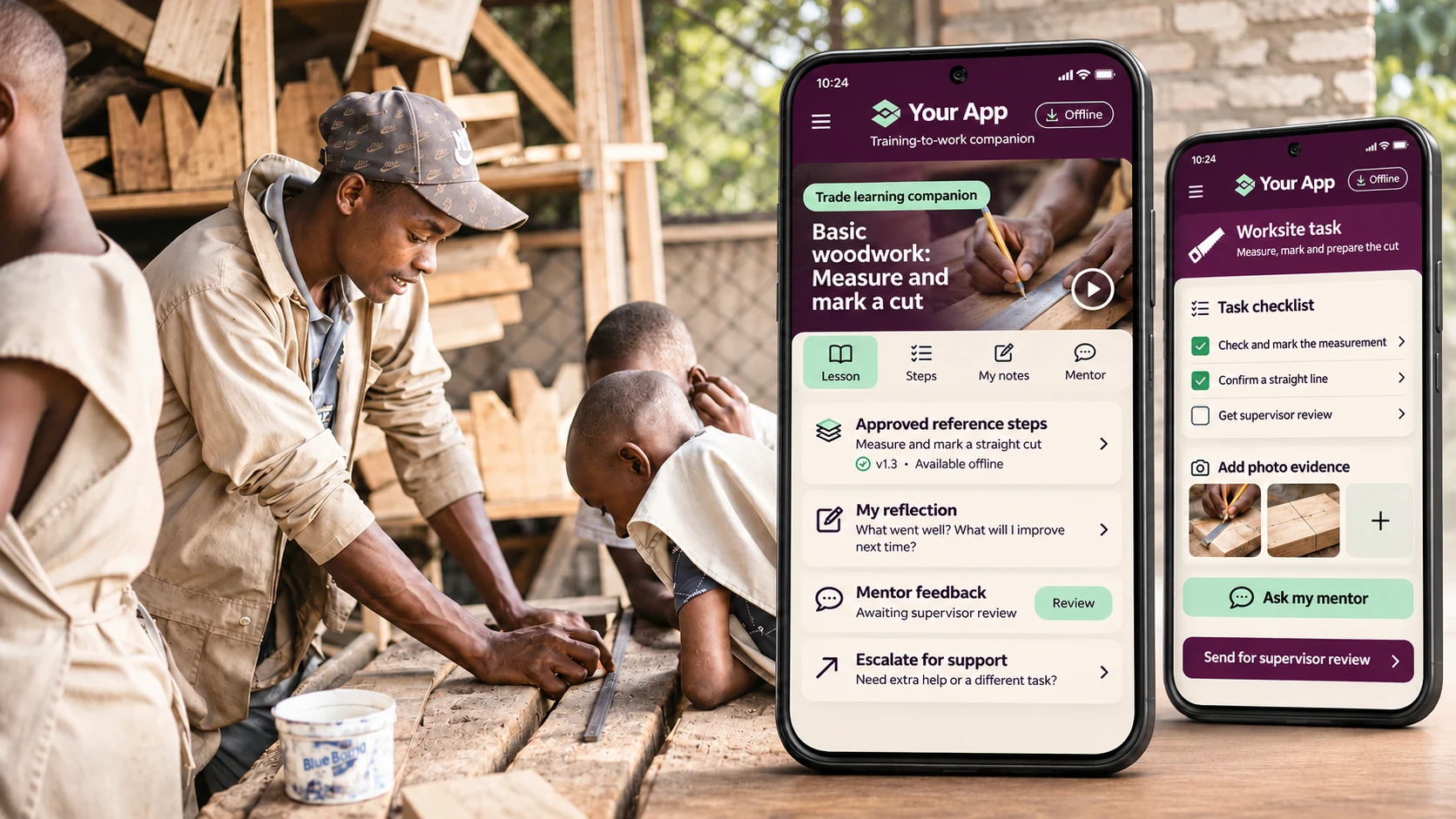
A learner can understand a workshop and still hesitate when the first real job begins. You could build an app that carries approved reference steps, questions and personal practice notes from training into work. Start with one bounded task and give people a clear route back to a qualified supervisor.

A mentor guides young boys in a carpentry workshop, fostering skill and curiosity in woodworking. Two phone screens preview the Training-to-work companion app, with no desktop view.App concept
IMAGINE THIS MOMENT

A learner understood the demonstration, but the first work assignment brings a detail they did not anticipate. Their notes are somewhere in a folder. Your app could keep the approved reference close and give them a clear way to ask a qualified supervisor, without suggesting that a phone screen replaces competence or oversight.

One useful moment.
A reason to open it.

A learner opens the approved task reference, checks its version and records a question against the relevant step. The app points them to the agreed supervisor.

Who would be glad
you built it?

Newly trained workers

Find the approved reference for a bounded task.

Training providers

Keep supporting material tied to its course.

Qualified supervisors

See the step behind a learner's question.

A place in their life.
At the right moment.

Why it belongs on a phone

The learner needs a reference beside the task, often away from a classroom or reliable connection. Offline instructions, quick notes and authorised feedback make the phone useful at that transition.

A reason to come back

Learners return when they prepare for or reflect on the next task. Supervisors return to answer questions and identify where the approved teaching material needs clarification.

Works offlineOn-the-go recordsTimely reminders

Where the money
could come from.

A training provider or employer could license the companion for a defined course and task set. The price covers approved content access, setup and support. Expert review, revisions and supervisor time are real costs. Any broader operational use needs its own evaluation and responsibilities before expansion.

The part you could
make your own.

Try linking questions directly to the step a learner is viewing. This could make a supervisor's response more useful than a general message that lacks the task's context.

An angle to test with the people you want to serve.

Start with something
worth using.

Start with one reviewed, appropriately bounded task, offline references and step-linked questions. Show the content version. Keep the supervisor's escalation route visible and avoid unrestricted user-generated work instructions.

  • Approved reference steps for a defined task
  • Offline access with visible content version
  • Learner notes and questions linked to a step
  • Qualified supervisor review and escalation route

Give the promise
something to stand on.

WHAT YOU BRING

You need training owners and qualified reviewers who can define the task's limits. Version control and supervision responsibilities matter, particularly before any material is used in work where mistakes could cause harm.

Safety-critical tasks require appropriate supervision and qualified content review. The platform should never treat a checklist as permission to perform work beyond a learner's training or authority.

Let a small beginning
teach you something.

Use a willing trainer's practice environment to test the reference with learners. Ask them to identify when they should stop and consult a supervisor, not merely whether they can follow the screen.

THE QUESTION TO TEST

Can the learner find the relevant approved step and recognise when the situation needs a qualified supervisor's judgement?

Look for these signs

  • References show their current version.
  • Questions identify the relevant step.
  • Learners understand the supervision boundary.
WHEN THE FIRST VERSION HAS TAUGHT YOU MORE
Where you could take it next

Add offline access, local-language audio and supervisor feedback sessions. Later AI could organise questions for a trainer, with technical answers remaining reviewed and attributable.

A little more
clarity.

Can this replace refresher training?

A companion keeps approved references and questions close at hand. The training provider can explain which tasks still need refresher teaching, assessment or supervision, so learners know where the app fits in their development.

What if instructions change?

The content owner needs a review and update process. Offline copies should show their version and make it clear when an update must be obtained before use.

What should my first version focus on?

Start with the first test described here, then build around the part people actually use and would pay to keep.

WHAT COULD GO INSIDE

A few additions
to explore.

Blog, guides and resource publishingTurn the questions you answer well into useful reading that helps someone feel more ready to take their next step.Document and information collectionGive customers a clear preparation list and your team one place to see what has arrived, what is missing and what needs review.Paid memberships and private contentGive your continuing knowledge or community a clear paid home, with a promise members can understand before they join.
MAKE ROOM FOR YOUR VERSION

Now picture it
with your name on it.

Your people. Your priorities. The version you keep thinking about. Answer a few questions and leave with a starting plan you can keep.

Free to explore. No account or email needed for your starting plan.
KEEP THE POSSIBILITIES OPEN

Something else
might speak to you.