EducationEstablished model
School administration and parent portal

Give school days fewer missing messages.

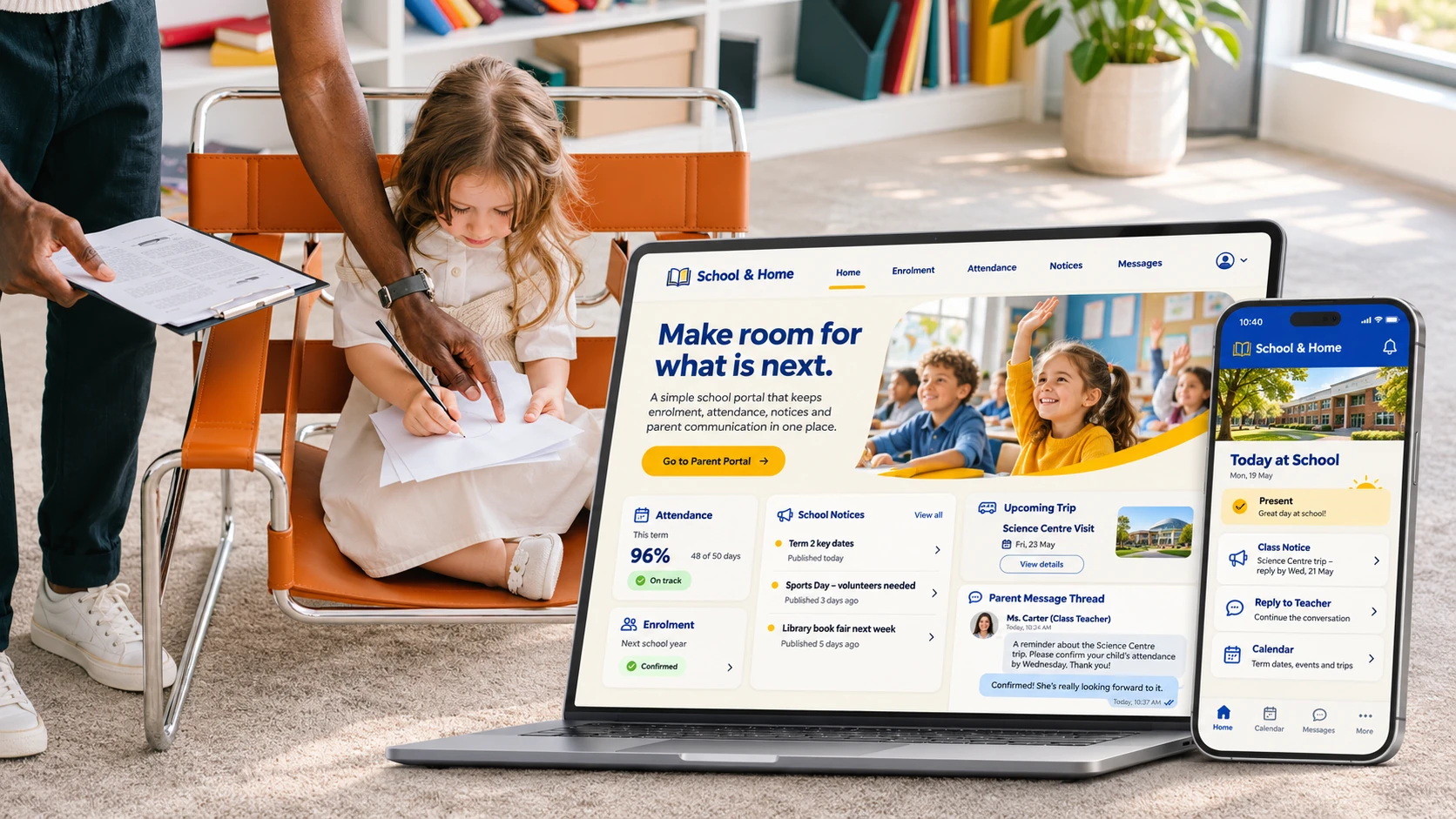
A parent wants to know what is happening. A teacher wants to teach. An administrator needs the right record without chasing three people. A well-designed school workspace can make those conversations easier.

Make this fit me
You could also build this as a mobile app
School administration and parent portal concept: real human activity with a bespoke website and matching phone interface.Illustrative concept
IMAGINE THIS MOMENT

A parent misses a notice, a teacher repeats an attendance update and the office answers a question already recorded elsewhere. Your portal could connect those ordinary handovers, letting each person find the information relevant to them without turning the school day into another stream of notifications.

A business you can
picture.

Build school management software for a defined school type. Connect enrolment, attendance, notices and parent communication around clear responsibilities rather than trying to replace every school process at once.

Who would be glad
you built it?

School administrators

Maintain agreed records and notices.

Teachers

Share relevant class information efficiently.

Parents and guardians

Find timely information about their child.

Where the money
could come from.

Schools could pay a recurring fee based on a clear enrolment band, with separate setup and training where substantial work is required. The offer must cover secure records, support and dependable operation. Explain migration, messaging usage and renewal costs early so the school can assess the full commitment.

The part you could
make your own.

A calmer parent experience could distinguish your portal: useful notices, readable records and fewer unnecessary alerts. Test whether that clarity helps families stay informed while making the staff's daily workload manageable.

An angle to test with the people you want to serve.

Start with something
worth using.

Choose one school type and a limited workflow: attendance, notices and parent access. Define who enters and approves each record. Pilot with one class or year group before connecting every administrative process.

  • Student and guardian records
  • Attendance and school notices
  • Fee records and parent requests

Give the promise
something to stand on.

WHAT YOU BRING

You need insight into school routines and careful access boundaries around children's information. Training, record migration and helping staff use the system consistently are part of the service, not optional extras after launch.

Children’s records need carefully controlled access. Confirm who may see or change each record, how corrections are made and how the school handles a lost account or a mistaken message.

Let a small beginning
teach you something.

Observe the office and teaching team's current communication routine with permission. Test a small set of real notices and attendance updates, then ask parents whether they can find what matters without extra explanation.

THE QUESTION TO TEST

Can each authorised person find the right current information without creating duplicate work for teachers or office staff?

Look for these signs

  • Records have clear ownership
  • Parents find current notices
  • Staff avoid parallel duplicate registers
WHEN THE FIRST VERSION HAS TAUGHT YOU MORE
Where you could take it next

Learning material, transport notices and activity registration can follow after the core records and communication are reliable.

A little more
clarity.

Should every parent see every class record?

Access should match the relationship and school policy. A parent needs relevant information about their child, while staff roles may require different views. Test these boundaries explicitly before using real pupil records.

Can the whole school move over at once?

A staged transition is often easier to assess. Agree the initial workflow, migrate only necessary records and define which system is authoritative during the change so staff do not maintain conflicting versions indefinitely.

SOMETHING TO LEARN FROM

Classter is a reference for school management software.

WHAT COULD GO INSIDE

A few additions
to explore.

Staff roles and delegated managementLet trusted colleagues handle their part of the business without making every task depend on the owner's account.Automatic reminders and updatesLet a timely update carry the routine reassurance, so your team can give more attention to the questions that need a person.Document and information collectionGive customers a clear preparation list and your team one place to see what has arrived, what is missing and what needs review.
MAKE ROOM FOR YOUR VERSION

Now picture it
with your name on it.

Your people. Your priorities. The version you keep thinking about. Answer a few questions and leave with a starting plan you can keep.

Free to explore. No account or email needed for your starting plan.
PICTURE THE MOBILE APPSchool parent app

Help the right school update reach home.

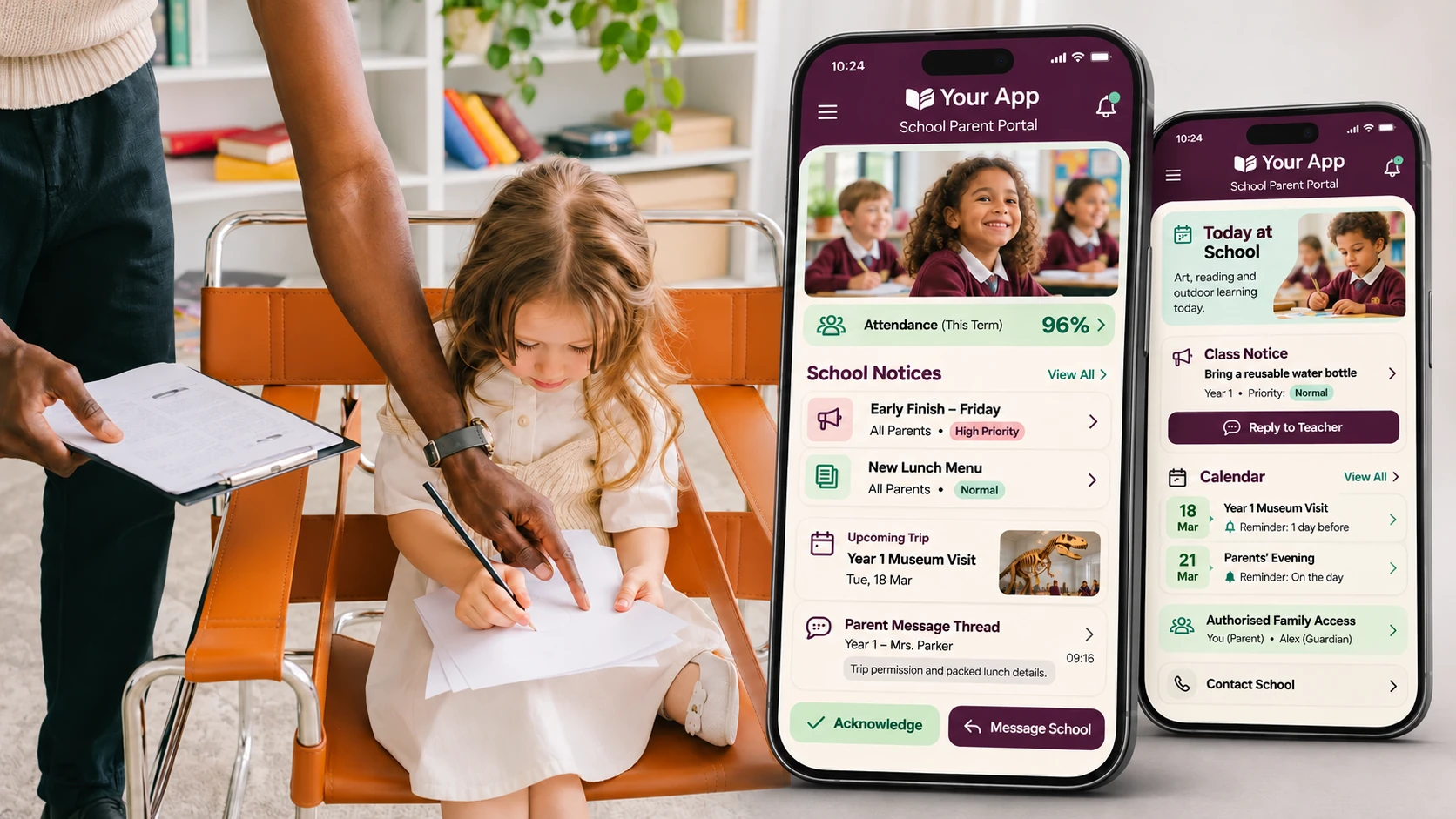
A message can be missed between a school bag, a group chat and a busy evening. You could build a parent app that gives families one clear place for notices, dates and authorised child information. Begin with communication people need to act on, and make permissions and contact routes easy to understand.

Young girl being guided by tutor while writing, emphasizing focused education. Two phone screens preview the school parent app, with no desktop view.App concept
IMAGINE THIS MOMENT

A parent discovers a changed pickup time in an old group conversation after leaving work. The teacher believed the message had reached everyone. Your app could give authorised families one dependable place for school notices, with clear dates, actions and a way to check that an important message was received.

One useful moment.
A reason to open it.

An authorised parent opens the latest notice, sees the date and required action, and acknowledges it. A visible school contact remains available for questions.

Who would be glad
you built it?

Parents and guardians

Find the action needed for their child.

School administrators

Send a notice to the correct group.

Class teachers

Share updates within agreed communication boundaries.

A place in their life.
At the right moment.

Why it belongs on a phone

Parents need updates while managing the rest of their day. Timely notifications, a pocket calendar and quick acknowledgements help the phone support communication without making every notice feel urgent.

A reason to come back

Families return for the next school day, event or request. Schools return to publish dependable information, with a record of what was sent and an alternative contact route when needed.

Timely remindersPersonal routinesLive coordination

Where the money
could come from.

A school could pay an annual or term-based licence for a defined communication service and support arrangement. Families use the school-provided access. Onboarding, staff training, account changes and support are real costs. Additional administrative modules should be priced and introduced only when the school has a clear need.

The part you could
make your own.

A smaller school's advantage could be unusually clear notices: one action, one date and the correct audience. Test that clarity with families before adding a wide range of administrative screens.

An angle to test with the people you want to serve.

Start with something
worth using.

Start with notices, events and acknowledgements for one school. Limit child information to what the pilot needs. Keep an alternative communication route available while families learn the new process.

  • School notices with audience and priority controls
  • Events and user-selected reminders
  • Verified parent or guardian access
  • Acknowledgements and clear school contact routes

Give the promise
something to stand on.

WHAT YOU BRING

You need a participating school, a verified guardian process and staff who own the notices. Decide how corrections, urgent messages and families without reliable app access will be handled.

Children’s records need carefully controlled access. Confirm who may see or change each record, how corrections are made and how the school handles a lost account or a mistaken message.

Let a small beginning
teach you something.

Work with a school to test a few ordinary notices with consenting families. Ask parents to find the date and required action, and ask staff whether acknowledgements are useful rather than burdensome.

THE QUESTION TO TEST

Can the right guardian find the current notice and understand what they need to do next?

Look for these signs

  • Notices reach the intended family group.
  • Changed dates replace outdated information clearly.
  • Staff can identify unresolved acknowledgements.
WHEN THE FIRST VERSION HAS TAUGHT YOU MORE
Where you could take it next

Learning material, transport notices and activity registration can follow after the core records and communication are reliable.

A little more
clarity.

Will this replace every school message?

The school should define which messages belong here and which need another route. Emergencies and families with access difficulties may require existing contact procedures to remain in place.

Can both guardians see the same child?

Only after the school's authorised access process confirms it. Family circumstances can differ, so permissions should follow approved records rather than assuming every contact has equal access.

SOMETHING TO LEARN FROM

Classter is a reference for school management software.

WHAT COULD GO INSIDE

A few additions
to explore.

Staff roles and delegated managementLet trusted colleagues handle their part of the business without making every task depend on the owner's account.Automatic reminders and updatesLet a timely update carry the routine reassurance, so your team can give more attention to the questions that need a person.Document and information collectionGive customers a clear preparation list and your team one place to see what has arrived, what is missing and what needs review.
MAKE ROOM FOR YOUR VERSION

Now picture it
with your name on it.

Your people. Your priorities. The version you keep thinking about. Answer a few questions and leave with a starting plan you can keep.

Free to explore. No account or email needed for your starting plan.
KEEP THE POSSIBILITIES OPEN

Something else
might speak to you.