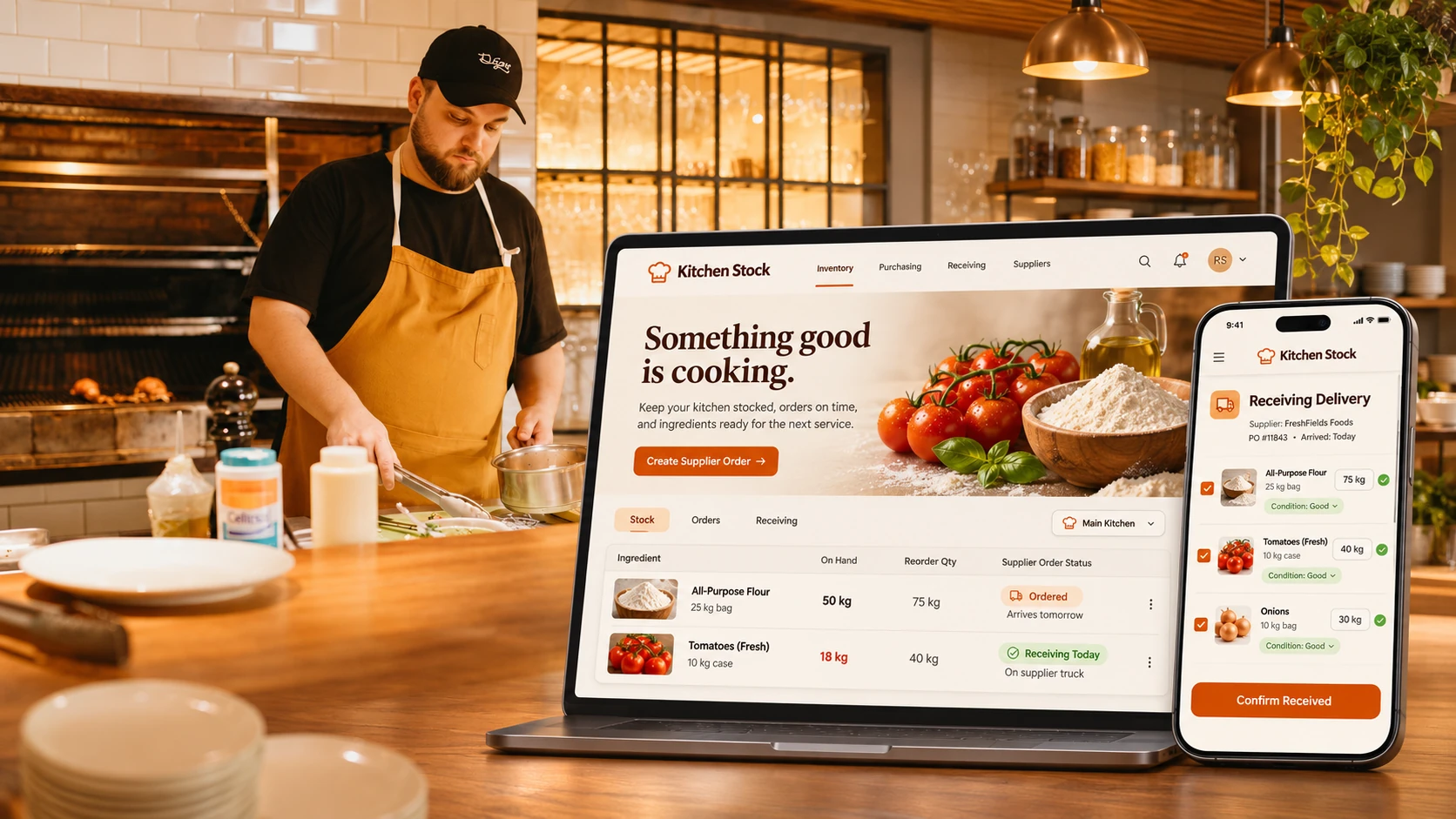
The kitchen is preparing for a busy evening when someone discovers an ingredient was never reordered. A delivery note says it arrived, but the receiving count tells a different story. Your workspace could connect counting, purchasing and receipt records around the team's real working routine.
A business you can
picture.
Offer inventory software for a defined kitchen type. Connect ingredients, supplier orders and receiving records around the team’s actual counting and purchasing routine.
Who would be glad
you built it?
Kitchen managers
Plan purchases from usable stock information.
Purchasing staff
Track supplier orders and changes.
Receiving teams
Record what actually arrived.
Where the money
could come from.
Restaurants could pay a recurring software fee for a defined kitchen scope, with stock setup and training separately priced. The service sells practical records and purchasing coordination. Data preparation, support and integration upkeep cost time; claimed savings should be assessed from the restaurant's own experience rather than promised from a generic calculation.
The part you could
make your own.
A kitchen-friendly routine could distinguish your workspace. Clear units, quick receiving checks and visible reorder decisions may matter more than complex reports. Test whether staff keep the information usable on an ordinary busy day.
An angle to test with the people you want to serve.Start with something
worth using.
Start with one kitchen, essential ingredients, supplier orders and receiving checks. Agree units and responsibility for updates. Introduce recipe costing or multi-site transfers only after the team can maintain a reliable basic stock routine.
- Ingredient stock and count records
- Supplier orders and delivery checks
- Recipe quantities and restock alerts
Give the promise
something to stand on.
You need an understanding of kitchen units, counting habits and supplier relationships. Stock data becomes useful only when staff can maintain it during work; a sophisticated dashboard cannot repair inconsistent quantities or neglected receiving records.
Good records depend on staff habits as well as software. Review unit conversions, recipe changes and stock adjustments. A low-stock alert is useful only when someone is responsible for responding.
Let a small beginning
teach you something.
Follow a kitchen through a normal purchasing and receiving cycle. Pilot a small ingredient set and compare the record with a physical count, asking staff which steps are practical during preparation and service.
Can the team identify an ingredient shortage or delivery mismatch early enough to take a useful operating action?
Look for these signs
- Units are consistent across records
- Deliveries are checked against orders
- Stock concerns have a responsible owner
A little more
clarity.
Will the system know exact stock automatically?
Only to the extent that reliable inputs support it. Counts, recipes, waste and receiving records all affect accuracy. Start with a maintainable process and show uncertainty rather than implying perfect live inventory.
Should every ingredient be entered immediately?
A focused list can reveal the workflow and data issues first. Expand after staff agree units and update responsibilities, so the system does not begin as a large catalogue of inaccurate quantities.
MarketMan is a reference for restaurant inventory software.
Now picture it
with your name on it.
Your people. Your priorities. The version you keep thinking about. Answer a few questions and leave with a starting plan you can keep.
Free to explore. No account or email needed for your starting plan.