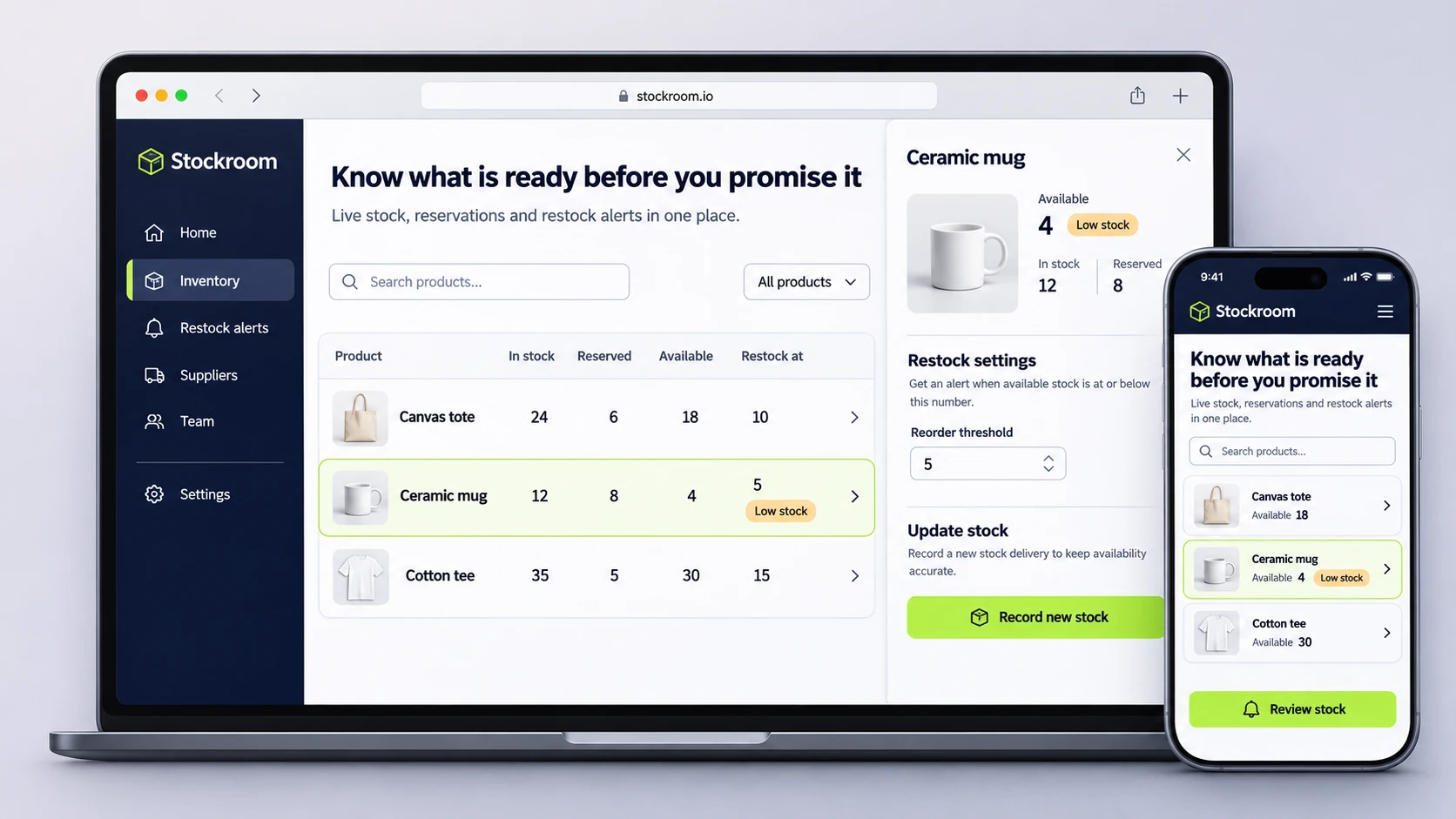
A product appears available online just after the last unit has been sold elsewhere. Your team has to disappoint a customer who already expected it. A stock feature could bring available, reserved and low-stock records into a clearer view, provided the real movement of goods is recorded consistently.
Stock is checked across separate notes or sales channels, and staff may promise an item already reserved or sold elsewhere.
Available and reserved quantities are distinguishable, low-stock items prompt review, and discrepancies have a clear correction process.
Where it could
make a difference.
Retailers
Keep sales channels aligned with stock records.
Wholesalers
See quantities reserved for customer orders.
Product suppliers
Notice items needing a replenishment review.
Useful on: Online store, Wholesale portal, Marketplace.
What this could mean
for your business.
A clearer stock view can support fulfilled sales and reduce avoidable availability confusion. It does not guarantee that goods are physically present. Measure oversold orders, corrections and replenishment decisions alongside staff effort, including the cost of connections and maintaining accurate movement records.
Start with something
worth using.
Start with a manageable range, stock and reservation records and low-stock thresholds. Include manual correction with a reason. Connect additional channels only after the underlying stock process is dependable.
- Stock and reservation records
- Low-stock thresholds
- A clear update responsibility
Give the promise
something to stand on.
You need stable product identifiers, a stock update process and physical checks. Decide when an item becomes reserved, when it leaves stock and who corrects a discrepancy.
Agree what each stock status means and which system is the source of truth. A website can only show dependable availability if the business keeps the underlying records current.
- Product identifiers
- A stock update process
- Physical stock checks
How it fits what you already have
Check product identifiers, sales channels, reservation rules and return handling. Decide the authoritative stock system and how updates arrive from other tools, including what happens when a connection is delayed or unavailable.
Let a small beginning
teach you something.
Reconcile selected products against physical counts, then follow a few orders, cancellations and returns through the system. Ask staff to explain the available quantity at each stage.
Can the team explain the difference between recorded stock, reserved items and what is actually available to sell?
Look for these signs
- Reservations affect sellable quantities correctly.
- Discrepancies have an accountable correction.
- Low-stock alerts prompt a useful review.
A little more
clarity.
Does software remove the need to count stock?
No. Physical checks help identify loss, damage or missed updates. The feature should make discrepancies easier to investigate rather than assume that recorded quantities always match the shelf.
Should every low-stock alert create a purchase order?
Not automatically. A responsible person may need to review demand, supplier terms and existing incoming stock before deciding what to reorder.
Could this work with my existing website?
We would check how your current website is built, what it already does and which services need to connect. That helps us choose a suitable addition and avoid paying twice for something you already have.
What would this change
in your business?
Your customers. Your working day. The part you would love to make easier. Answer a few questions and leave with a starting plan you can keep.
Free to explore. No account or email needed for your starting plan.