PropertyEstablished model
Property maintenance portal

Give every repair a clear next step.

A resident has reported a leak. The manager is chasing a contractor. The owner wants to know what happened. You could build one place where each person can see their part, so a simple repair has a clearer path from “something is wrong” to “this is what was done.”

Make this fit me
You could also build this as a mobile app
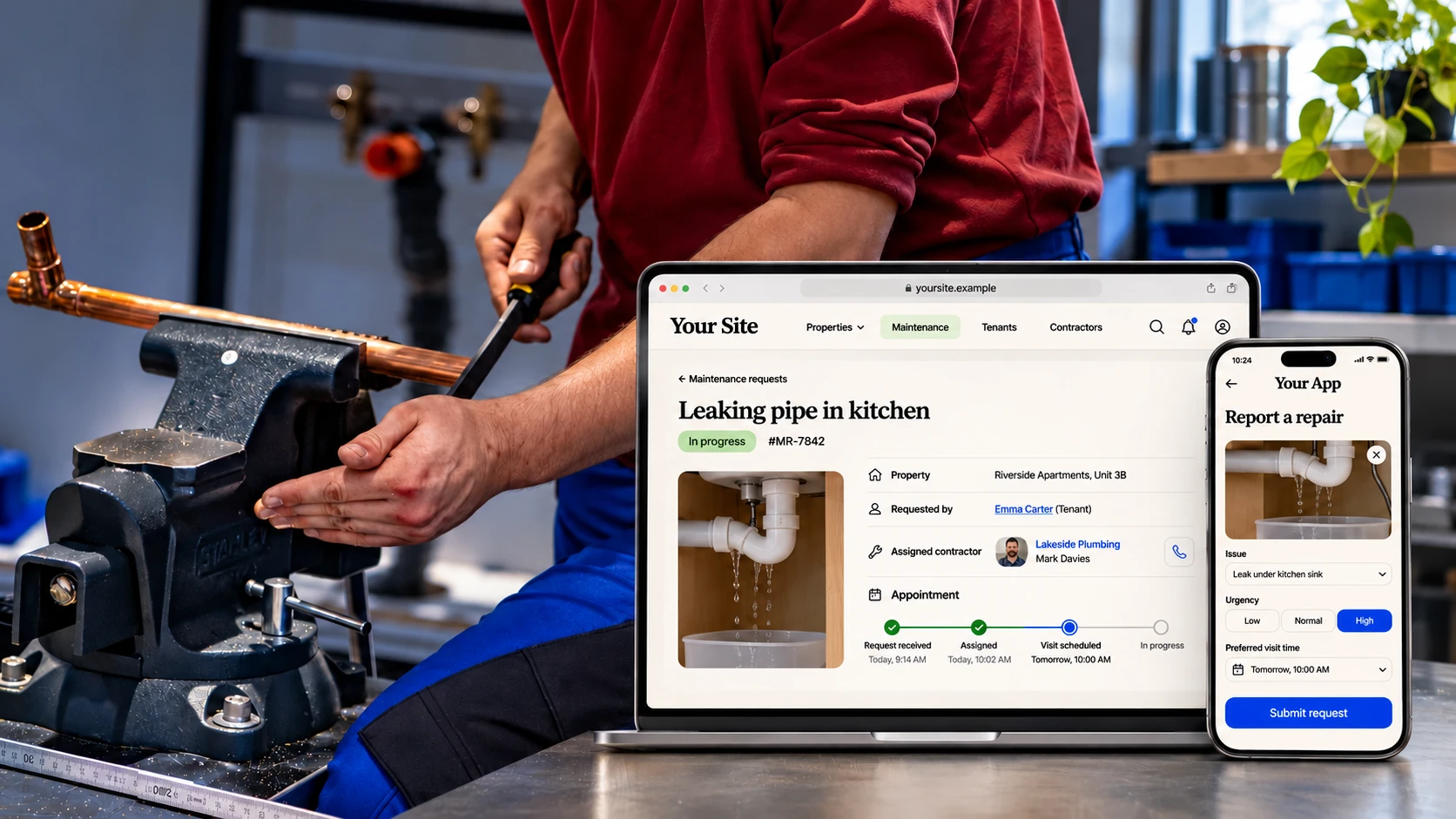
Property maintenance portal concept: Plumber bends copper pipe with precision using a pipe bender in a workshop environment. A desktop website and matching phone show the digital business.Illustrative concept
IMAGINE THIS MOMENT

A resident reports a leaking tap before leaving for work. By evening they do not know whether anyone read the message, while the manager cannot find the contractor's reply. Your portal could give each person a clear next action and a shared record of what was agreed and completed.

A business you can
picture.

Start with maintenance for a manageable group of properties. Keep the experience simple for people who only visit when they need help.

Who would be glad
you built it?

Small property managers

Keep repair responsibility visible.

Residents

Report issues and understand the next step.

Maintenance teams

Receive usable job details and access notes.

Where the money
could come from.

A property manager could pay a recurring fee for an active portfolio, priced by a clearly explained unit or building band. The service sells coordination and records. Support, attachments, notifications and onboarding cost money, so test renewal after real repairs rather than measuring interest only in a demonstration.

The part you could
make your own.

A small-portfolio experience could be the distinction: simple reporting, clear next actions and updates that residents can understand. Explore whether better handovers solve more frustration than adding a long list of property-management functions at once.

An angle to test with the people you want to serve.

Start with something
worth using.

Begin with one property portfolio, issue reporting, photo attachments, job assignment and completion confirmation. Keep resident access simple and show an alternative contact route for urgent situations the portal cannot actively handle.

  • Report a repair with photos and its location.
  • Assign a contractor and propose an appointment.
  • Approve a quotation and follow the work’s status.
  • Keep completion notes and resident feedback.

Give the promise
something to stand on.

WHAT YOU BRING

You need insight into the everyday relationship between residents, managers and contractors. Someone must maintain contact details, route urgent reports appropriately and keep status updates aligned with what is actually happening.

Keep property records protected and notifications dependable. Contractor onboarding and support need attention. Make the emergency route clear: submitting an ordinary request does not mean someone has accepted the job or that urgent help is on its way.

Let a small beginning
teach you something.

Follow a manager through several recent repairs, then pilot with a small building and known contractors. Ask residents whether they can understand the next step without phoning the office for an update.

THE QUESTION TO TEST

Can each person see what they must do next without chasing the same repair through separate messages?

Look for these signs

  • Repairs have named responsibility
  • Residents receive meaningful updates
  • Completed work has a usable record
WHEN THE FIRST VERSION HAS TAUGHT YOU MORE
Where you could take it next

Quotation comparisons, planned maintenance and separate owner views could extend the service. Keep urgent requests, accepted work and decisions still waiting for approval easy to distinguish.

A little more
clarity.

Is this a replacement for emergency reporting?

Only if an operator provides and staffs that service. The first version should clearly explain its response arrangements and direct urgent situations to an appropriate established contact instead of implying someone is always monitoring it.

Do contractors need to learn a complex system?

A focused job view can show the problem, location, access arrangement and required update. Test that workflow with the actual contractors; a management dashboard is not automatically the right experience for someone working on site.

Can it connect to an existing property website?

Yes. A resident workspace can sit alongside your public property and business pages.

Does it replace the property manager?

No. It helps the manager coordinate people and keep decisions visible.

SOMETHING TO LEARN FROM

Buildium allows residents to submit maintenance requests through its resident site. It is a reference for the workflow. Your version needs a clear reason for a particular group of managers to choose it.

WHAT COULD GO INSIDE

A few additions
to explore.

Enquiry tracking and follow-upHelp your team carry a promising enquiry forward, with a remembered conversation and a clear person responsible for the next step.Document and information collectionGive customers a clear preparation list and your team one place to see what has arrived, what is missing and what needs review.Automatic reminders and updatesLet a timely update carry the routine reassurance, so your team can give more attention to the questions that need a person.
MAKE ROOM FOR YOUR VERSION

Now picture it
with your name on it.

Your people. Your priorities. The version you keep thinking about. Answer a few questions and leave with a starting plan you can keep.

Free to explore. No account or email needed for your starting plan.
PICTURE THE MOBILE APPProperty repair app

Give every repair a clearer path to being handled.

A leaking tap can turn into a trail of messages, photographs and uncertain promises. You could build a repair app for tenants, property managers and the people doing the work. Keep the report, the next visit and the update together so each person knows what needs to happen next.

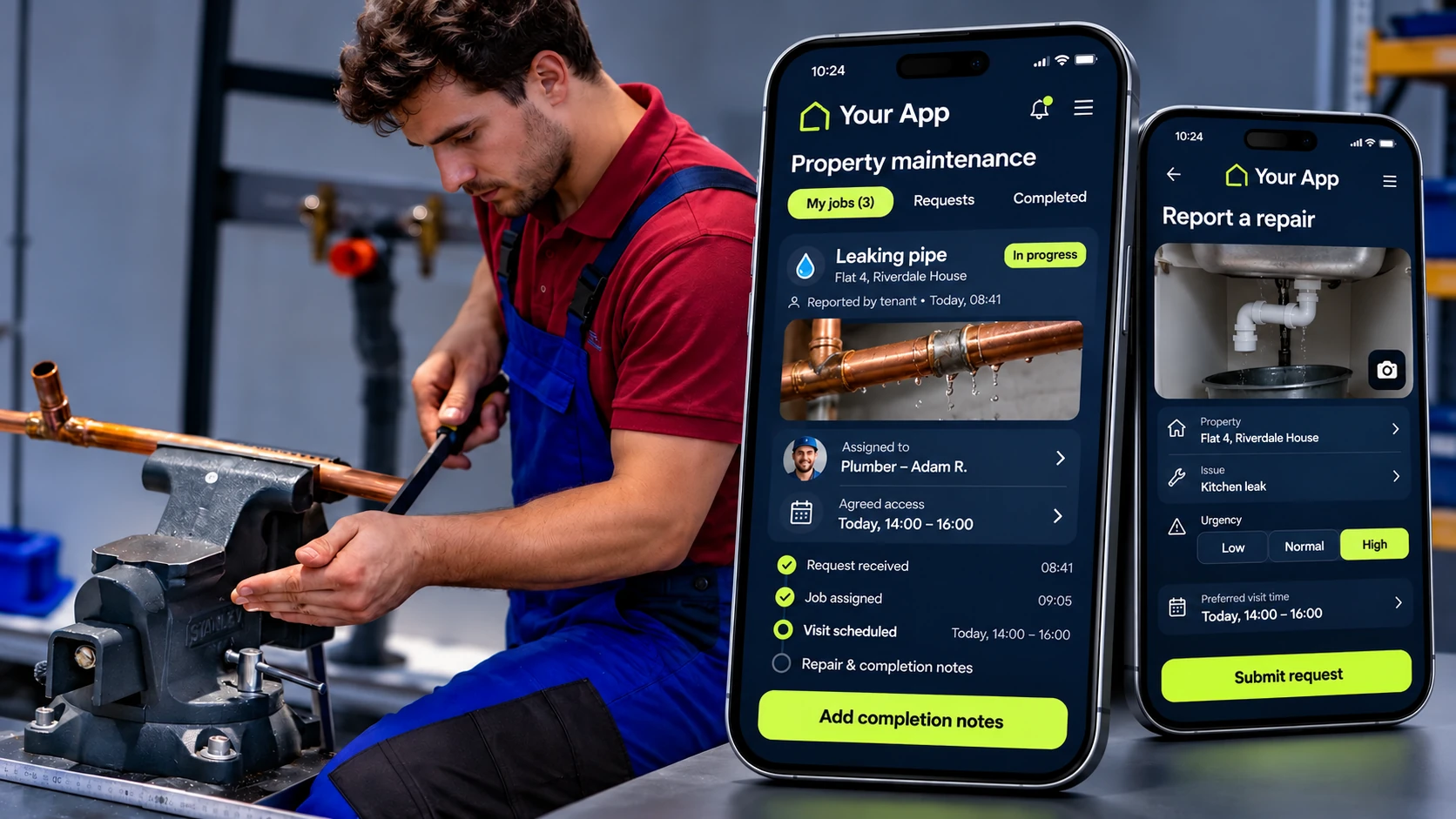
Plumber bends copper pipe with precision using a pipe bender in a workshop environment. Two phone screens preview the property repair app, with no desktop view.App concept
IMAGINE THIS MOMENT

Imagine a tenant sending another photo of the same damp patch, unsure whether anyone has seen it. The manager is searching several conversations while a contractor needs access. Your app could turn that anxious waiting into one visible repair record with an owner, a visit and an update.

One useful moment.
A reason to open it.

A resident selects the property, adds a photograph and describes the problem. The manager sees a complete report and can assign the next action.

Who would be glad
you built it?

Residents

Report the issue and follow agreed next steps.

Property managers

Know which repairs still need a decision.

Repair contractors

Arrive with the right access and job information.

A place in their life.
At the right moment.

Why it belongs on a phone

A resident can photograph the issue where it appears, and a technician can record the work on site. Phone-based updates connect the people involved without sending them back to a desk.

A reason to come back

Residents return for an unresolved issue or a new report. Managers and technicians return throughout their workday to see the next action and communicate what has changed.

Camera & scanningOn-the-go recordsTimely reminders

Where the money
could come from.

A property manager could pay a subscription for a defined portfolio and number of staff. The purchase covers organised repair coordination and records. Onboarding, resident support, file storage and keeping the workflow current are ongoing costs; the contractor's repair charge remains a separate matter unless explicitly included.

The part you could
make your own.

Focus on the moment between a report and a confirmed visit. Clear responsibility and useful access notes may matter more to a small manager than a large catalogue of maintenance features.

An angle to test with the people you want to serve.

Start with something
worth using.

Pilot photo reports, manager assignment and appointment updates in one portfolio. Keep emergency contact instructions visible and separate from routine repair reporting. Add completion notes before considering contractor marketplaces or payments.

  • Photo issue reports with property details
  • Job assignment and priority set by the manager
  • Agreed access and appointment updates
  • Completion notes and resident follow-up

Give the promise
something to stand on.

WHAT YOU BRING

You need relationships with property teams and an understanding of how repairs are authorised. Someone must own the response process; a tidy app cannot compensate for reports nobody reviews.

Keep property records protected and notifications dependable. Contractor onboarding and support need attention. Make the emergency route clear: submitting an ordinary request does not mean someone has accepted the job or that urgent help is on its way.

Let a small beginning
teach you something.

Walk through a recent repair with a manager, resident and contractor. Then trial a few suitable routine jobs with their consent, checking what information each person needs at every handover.

THE QUESTION TO TEST

Does everyone know who owns the next action without calling the manager for the same update?

Look for these signs

  • Reports reach the responsible person.
  • Visits have agreed access details.
  • Residents can confirm whether the issue remains.
WHEN THE FIRST VERSION HAS TAUGHT YOU MORE
Where you could take it next

Quotation comparisons, planned maintenance and separate owner views could extend the service. Keep urgent requests, accepted work and decisions still waiting for approval easy to distinguish.

A little more
clarity.

Can tenants book any contractor?

That depends on the property's approval process. A first version can let the manager authorise work before a contractor is assigned, protecting existing responsibilities and spending controls.

Is this an emergency reporting service?

Not by default. The app should explain the property's emergency route clearly. Routine notifications need defined review hours so residents do not mistake a submitted form for immediate assistance.

Can it connect to an existing property website?

Yes. A resident workspace can sit alongside your public property and business pages.

Does it replace the property manager?

No. It helps the manager coordinate people and keep decisions visible.

SOMETHING TO LEARN FROM

Buildium allows residents to submit maintenance requests through its resident site. It is a reference for the workflow. Your version needs a clear reason for a particular group of managers to choose it.

WHAT COULD GO INSIDE

A few additions
to explore.

Enquiry tracking and follow-upHelp your team carry a promising enquiry forward, with a remembered conversation and a clear person responsible for the next step.Document and information collectionGive customers a clear preparation list and your team one place to see what has arrived, what is missing and what needs review.Automatic reminders and updatesLet a timely update carry the routine reassurance, so your team can give more attention to the questions that need a person.
MAKE ROOM FOR YOUR VERSION

Now picture it
with your name on it.

Your people. Your priorities. The version you keep thinking about. Answer a few questions and leave with a starting plan you can keep.

Free to explore. No account or email needed for your starting plan.
KEEP THE POSSIBILITIES OPEN

Something else
might speak to you.