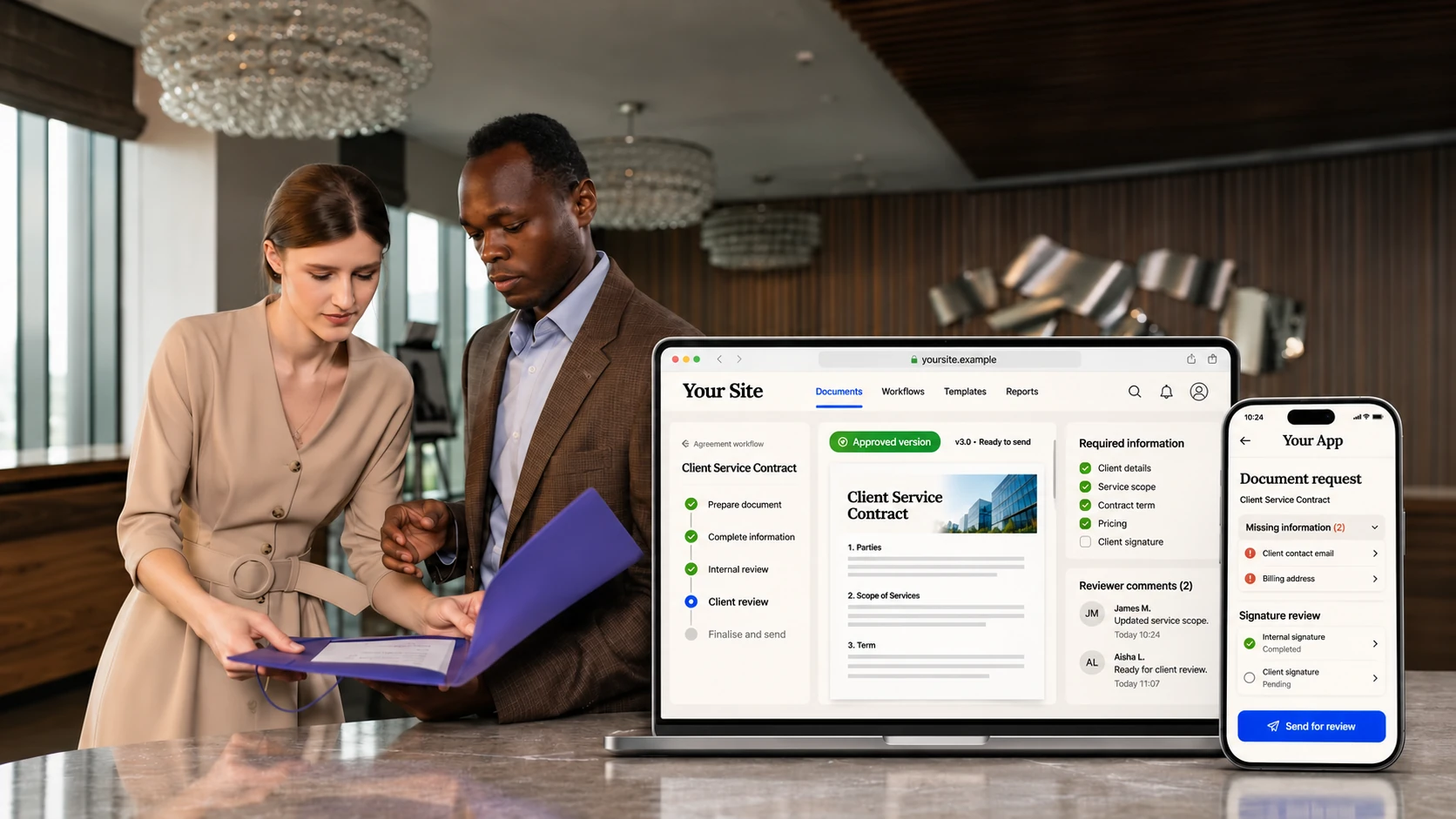
A proposal is nearly ready, but one colleague has revised the price while another is still reviewing an older copy. Your workflow could keep the approved template, current information and review status together, helping the team know what can be sent and which decision is still outstanding.
A business you can
picture.
Offer document workflow software for a defined professional process. Combine approved templates, structured information and review steps so staff know what is ready to send and what still needs attention.
Who would be glad
you built it?
Professional service teams
Prepare recurring business documents consistently.
Approving managers
Review the current version and unresolved points.
Administrative staff
Collect required information and follow handovers.
Where the money
could come from.
Businesses could pay a recurring fee for a defined document workflow, with template setup separately priced. The service funds preparation tools, version records and support. Professional drafting or legal review requires an explicitly scoped qualified service; it should not be silently implied by access to a convenient template library.
The part you could
make your own.
Clarity at approval could distinguish your product. Visible changes, unresolved questions and an understandable sign-off may help a team more than a large library of generic documents. Test the handover between the final two reviewers.
An angle to test with the people you want to serve.Start with something
worth using.
Choose one document type, an approved template and a short review sequence. Gather required information, show version changes and record explicit approval. Add signing or external sending only after authority and final-review steps are dependable.
- Approved templates and version records
- Internal review and customer comments
- Signature-provider connections and completed files
Give the promise
something to stand on.
You need insight into a particular document process and its approval responsibilities. Templates, version history and professional review must be clear; software should not imply that filling a form makes a document legally or commercially suitable.
Template accuracy, authorisation and document rights need oversight. A signature tool does not decide whether an agreement is appropriate. Keep the review history and final accepted version accessible to authorised users.
Let a small beginning
teach you something.
Follow a real recurring document through a willing team's current process. Pilot with sample or authorised information and ask each reviewer to identify the latest version, their responsibility and what remains unresolved.
Can the team identify the current approved document and explain who authorised it before it is sent externally?
Look for these signs
- Templates have clear ownership
- Reviewers see current information
- Final approval is explicitly recorded
A little more
clarity.
Can templates replace professional drafting advice?
Only within the scope established by suitable professionals. A workflow can organise approved material, but unusual circumstances may require review rather than forcing every situation into the same template.
Should documents be sent automatically after completion?
Completion and approval are different stages. Keep a clear authorisation step and confirm recipients before external sending, particularly when the document includes commitments, prices or confidential information.
PandaDoc is a reference for document workflow software.
Now picture it
with your name on it.
Your people. Your priorities. The version you keep thinking about. Answer a few questions and leave with a starting plan you can keep.
Free to explore. No account or email needed for your starting plan.