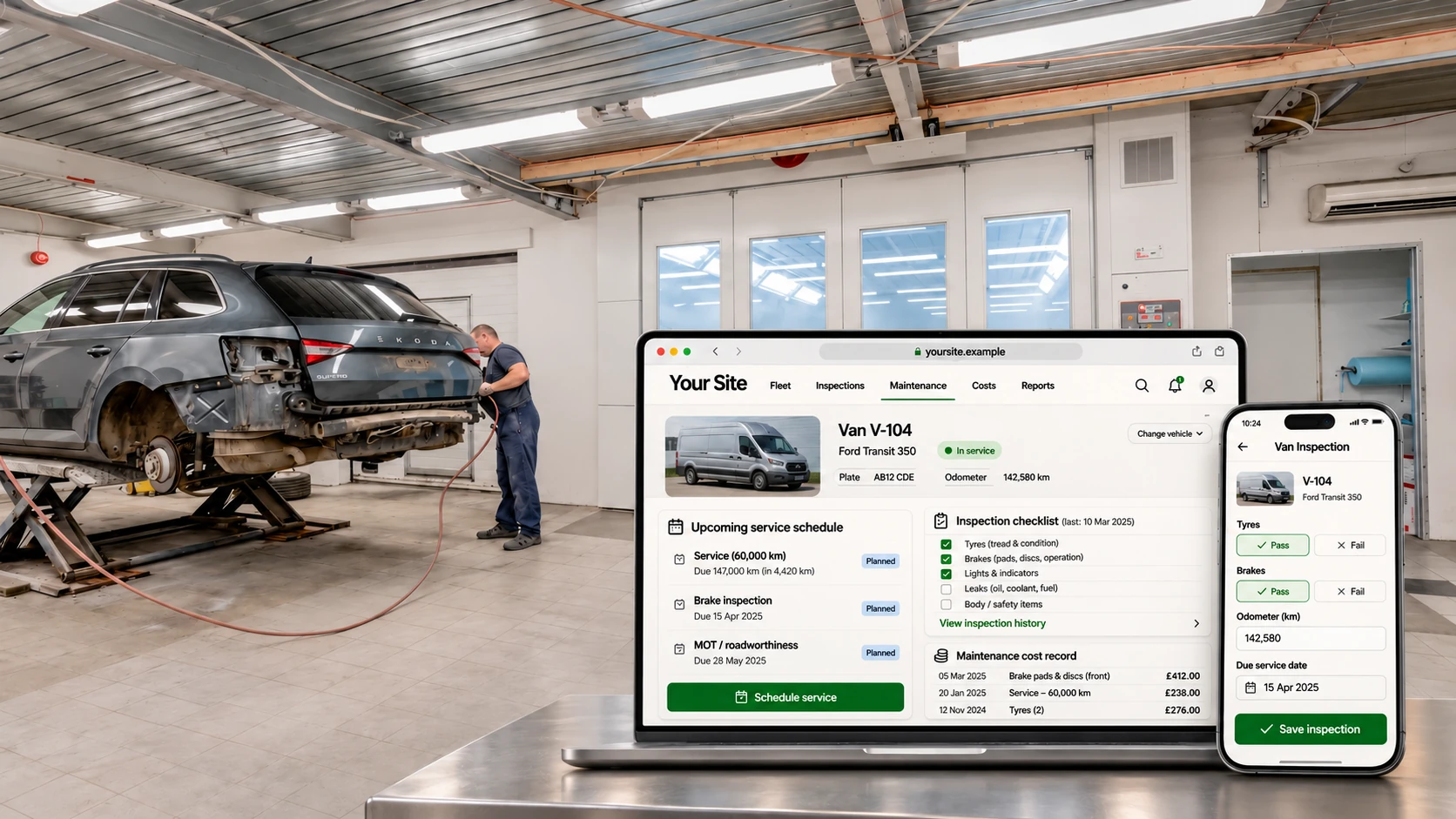
A driver mentions a recurring issue at the end of a shift, but the note is lost before the vehicle is assigned again. Your workspace could connect inspections, maintenance records and responsibility, helping the operator see what needs review before the next day's schedule is built.
A business you can
picture.
Build fleet software for a defined operator type. Connect vehicle records, inspections, maintenance plans and cost information around the team’s actual operating routine.
Who would be glad
you built it?
Fleet managers
Coordinate maintenance and vehicle status.
Drivers
Report relevant observations clearly.
Maintenance teams
Track work and service history.
Where the money
could come from.
Fleet operators could pay a recurring fee based on a defined vehicle count or workflow scope. Setup and historical record preparation can be separate services. Support, secure records and integration upkeep create costs; assess any maintenance or downtime benefit from the operator's own evidence rather than promising a universal saving.
The part you could
make your own.
A reliable defect-to-action handover could distinguish your workspace. Clear review responsibility and usable service history may matter more than a complex fleet dashboard. Test whether issues remain visible through the whole maintenance process.
An angle to test with the people you want to serve.Start with something
worth using.
Choose one fleet type and a manageable vehicle group. Record service dates, inspections, defects and assigned actions. Define who reviews reports and changes operational status before adding predictive models or extensive tracking integrations.
- Vehicle records and inspection logs
- Maintenance schedules and job history
- Fuel, expense and document records
Give the promise
something to stand on.
You need knowledge of the operator's vehicle type and maintenance process. Qualified assessment, inspection requirements and authority to return a vehicle to service remain essential; the software should support those decisions with usable records.
Accurate records, permissions and response responsibilities matter. An inspection entry does not independently establish that a vehicle is safe. Keep professional checks and authorisations distinct from routine reporting.
Let a small beginning
teach you something.
Pilot with an operator and maintenance lead using existing records. Follow a reported issue through review, work and closure, checking whether drivers and schedulers understand the current vehicle status.
Can a reported issue reach the responsible reviewer and remain visible until an appropriate action is recorded?
Look for these signs
- Defects have a named reviewer
- Maintenance history stays traceable
- Operational status reflects authorised decisions
A little more
clarity.
Can the system declare a vehicle safe automatically?
That requires the appropriate inspection and qualified responsibility. The workspace can flag missing records or open issues, but should not turn a completed checkbox into an unsupported declaration of roadworthiness.
Must every vehicle have tracking hardware?
A useful first version can organise maintenance and inspections without live tracking. Add hardware integrations when the operator can explain the specific need and maintain the devices, data quality and access arrangements.
Fleetio is a reference for fleet management software.
Now picture it
with your name on it.
Your people. Your priorities. The version you keep thinking about. Answer a few questions and leave with a starting plan you can keep.
Free to explore. No account or email needed for your starting plan.