A person wants to remember an ordinary day that mattered, but a public post feels wrong and a loose note feels easy to lose. Your app could offer a quiet place for words and photographs, with clear control over access, backup and export. Privacy should be understandable, not merely an adjective in the marketing.
One useful moment.
A reason to open it.
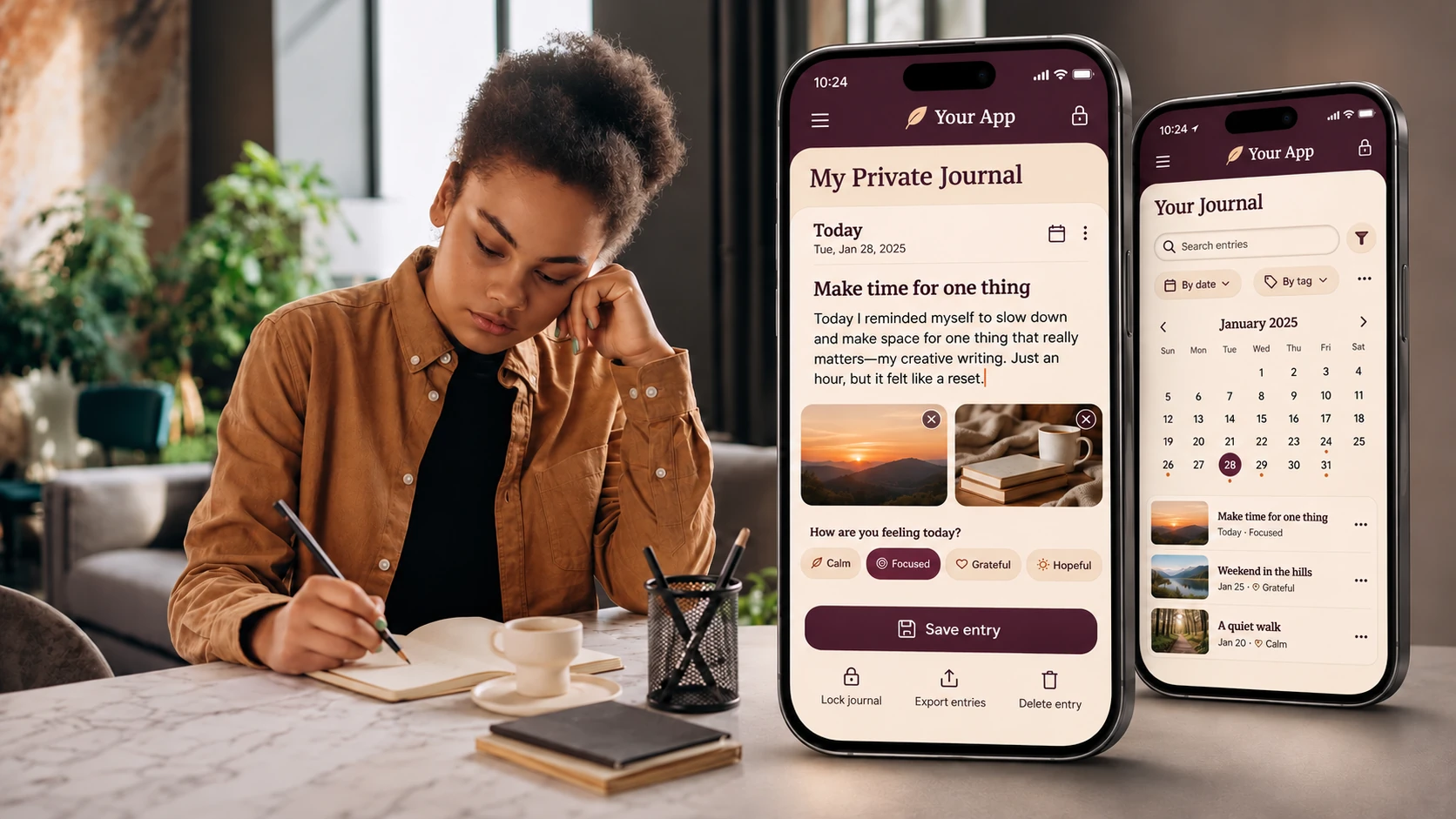
A person writes a short entry, adds an optional photo and selects a personal tag. They can preview how to export or delete it before relying on the journal.
Who would be glad
you built it?
Private writers
Record thoughts without publishing them.
People marking life changes
Keep a personal timeline in their own words.
Photo diarists
Attach context to selected everyday images.
A place in their life.
At the right moment.
Why it belongs on a phone
The phone can capture a sentence, photograph or voice note when a moment happens. Entries remain available when the connection disappears.
A reason to come back
A new day offers a new page. Older entries can bring people back to a meaningful moment they would otherwise have forgotten.
Where the money
could come from.
Users could pay for a private journal toolkit, with optional ongoing backup priced separately. The purchase should state storage limits and recovery arrangements. Security maintenance, support and storage have continuing costs. Avoid vague lifetime promises that do not explain how the service will remain available.
The part you could
make your own.
Try a journal built around thoughtful retrieval and plain-language privacy choices. Knowing how to keep and leave with their own words could give users a concrete reason to choose it.
An angle to test with the people you want to serve.Start with something
worth using.
Start with entries, optional photos, supported device locking, tags and export. Make deletion clear. Add prompts as optional material rather than interpreting personal writing or claiming therapeutic outcomes.
- Write an entry with optional photos
- Lock the journal on supported devices
- Find entries by date or personal tag
- Export selected entries and delete records
Give the promise
something to stand on.
You need careful security and account design, along with honest explanations of storage and recovery. Decide what happens when a device is lost and what the service can or cannot recover.
Private writing needs clear access, backup and deletion choices. Do not market the app as therapy or promise emotional outcomes; users decide what to record.
Let a small beginning
teach you something.
Ask willing users to test with fictional entries first. Check whether they understand access controls, backup choices and export, then invite feedback on whether the writing space feels calm and usable.
Can the user explain who can access their entries and retrieve a selected memory without surrendering control of the journal?
Look for these signs
- Access settings are understood.
- Exports contain the chosen entries.
- Deletion and backup choices are clear.
A little more
clarity.
Is a locked screen the same as encrypted storage?
No. The product needs precise explanations of its actual protections. Have the implementation reviewed and describe what each control does rather than relying on a general privacy claim.
Can people use their own writing prompts?
Yes. A personal prompt or a blank page can be enough. Optional reviewed collections may help someone begin, but the writer should remain free to skip, adapt or remove prompts that do not fit them.
Does a journal need a social feed?
No. This idea centres on private reflection. Sharing can stay absent from the first release, with clear export when the owner wants a copy.
Day One offers a personal journaling app. Explore its journal format as a familiar example while finding the specific life chapter your product would serve.
Now picture it
with your name on it.
Your people. Your priorities. The version you keep thinking about. Answer a few questions and leave with a starting plan you can keep.
Free to explore. No account or email needed for your starting plan.