A maker photographs a carefully finished item at home, but the light leaves it looking flat and the colours feel uncertain. Your app could offer a restrained editing routine for that kind of product, helping the creator present it clearly while preserving an honest impression of what a customer will receive.
One useful moment.
A reason to open it.
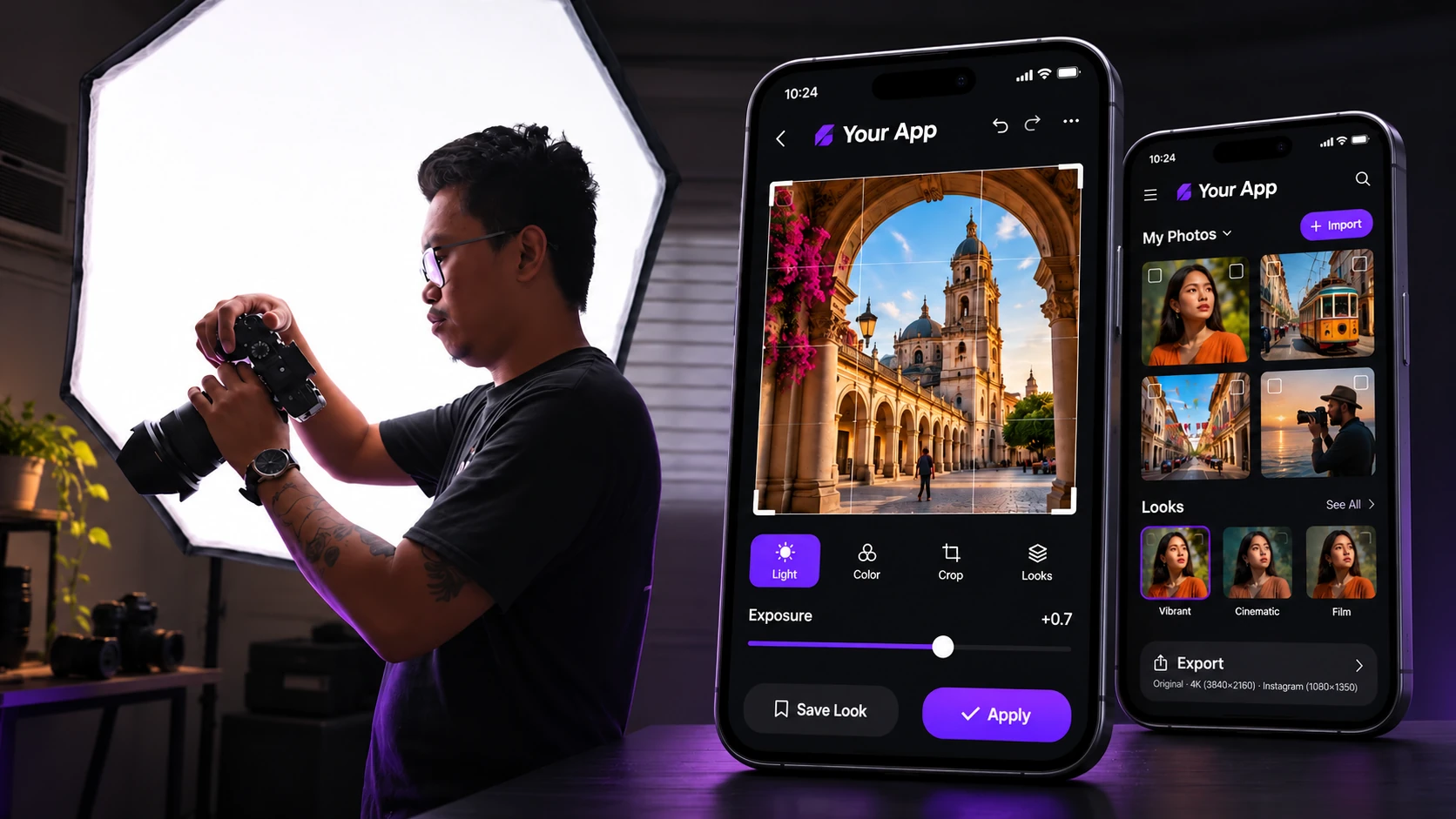
A maker imports a product photo, adjusts light and crop, compares it with the original and exports the size needed for a shop listing.
Who would be glad
you built it?
Home-based makers
Prepare consistent product photographs.
Small shop owners
Export images in practical listing sizes.
Content creators
Reuse a preferred editing treatment.
A place in their life.
At the right moment.
Why it belongs on a phone
People can photograph, edit and export their work on the same phone while the product, light and inspiration are still there.
A reason to come back
A new product, project or post brings another image to prepare. A recognisable personal style can make the saved tools worth returning to.
Where the money
could come from.
Creators could buy a focused editing toolkit or clearly licensed preset pack. A recurring plan needs an ongoing benefit such as maintained templates or batch work. Development, support and any image-processing services affect costs. Test whether the finished workflow is worth paying for beyond basic phone editing.
The part you could
make your own.
Serve one product type with useful presets and export sizes, such as handmade accessories. A clear route from photograph to honest listing image could distinguish the app from a general effects collection.
An angle to test with the people you want to serve.Start with something
worth using.
Begin with light, colour, crop and a reusable editing look. Offer named export sizes and preserve the original. Test a focused workflow before adding elaborate effects or generated scenes.
- Import a photo and keep the original
- Adjust light, colour and crop
- Save a reusable editing look
- Export named sizes for chosen channels
Give the promise
something to stand on.
You need visual judgement and knowledge of the products your audience photographs. Keep originals intact and avoid encouraging edits that conceal defects or materially misrepresent the item being sold.
Preserve originals and make edits reversible. Keep product appearance honest and clarify rights to templates, stock material and any uploaded customer photographs.
Let a small beginning
teach you something.
Invite makers to edit photographs of their own products, then compare the image with the actual item. Ask whether the workflow makes publication easier without making the product look misleading.
Can the creator produce a clear, consistent image that still represents the real product accurately?
Look for these signs
- Original photos remain retrievable.
- Exports fit the intended listing use.
- Users repeat an editing workflow confidently.
A little more
clarity.
Should backgrounds be removed automatically?
That can be useful for some products, but edges and fine details need review. Keep the original and let users correct the result before publishing an image that may misrepresent the item.
Can we promise professional photographs?
Describe the editing tools and intended workflow instead. Results depend on the original photograph, lighting and the user's choices; demonstrate realistic examples rather than guarantee a quality level.
Does it need every professional editing tool?
No. A few reliable controls, useful presets and clear exports can serve a defined audience better than a crowded first release.
Google describes Snapseed as a photo editor. Explore its editing workflow as a familiar reference, then test the specific creative audience your app would serve.
Now picture it
with your name on it.
Your people. Your priorities. The version you keep thinking about. Answer a few questions and leave with a starting plan you can keep.
Free to explore. No account or email needed for your starting plan.