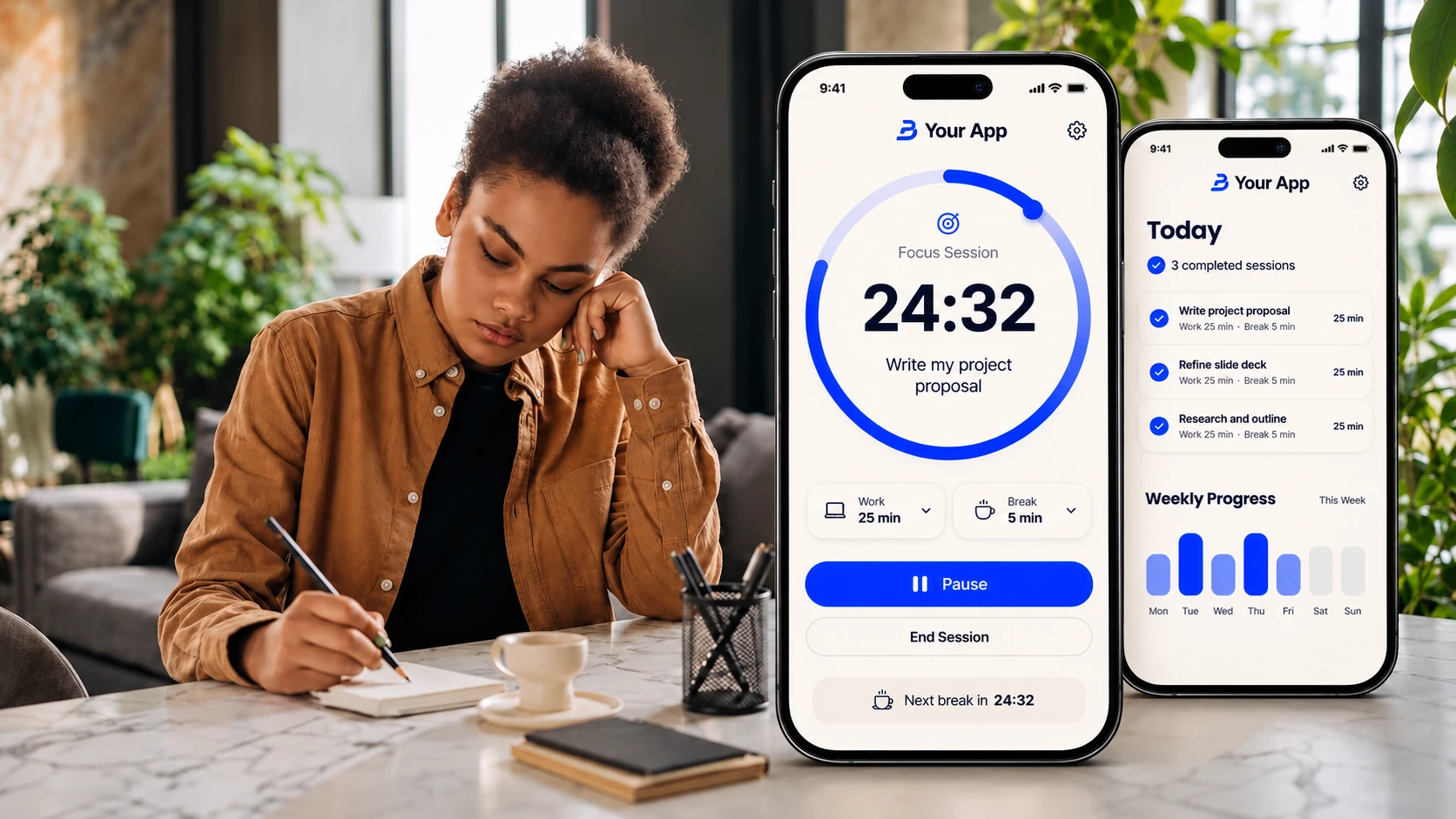
A person sits down to work, answers several messages and ends the hour unsure what they actually advanced. Your app could create a small deliberate beginning: name the task, choose a period of attention and finish with a note about the next step. The timer supports the work rather than becoming the achievement.
One useful moment.
A reason to open it.
A user names one task, chooses a session length and starts. At the end, they record what changed and the next action for a future session.
Who would be glad
you built it?
Independent workers
Choose a bounded task before starting.
Students
Plan a manageable study session.
Creative practitioners
Return to an unfinished piece with context.
A place in their life.
At the right moment.
Why it belongs on a phone
A timer travels with the person to a desk, studio or library. Local reminders can mark breaks without an internet connection.
A reason to come back
Each new work session gives the app a clear purpose. A brief record of finished work can make the return feel rewarding.
Where the money
could come from.
Individuals could purchase a focused toolkit with reusable session plans and project history. The benefit must be clear beside freely available timers. Development, support and optional syncing have costs. Group sessions can become a separate offer after you understand the facilitation and access they require.
The part you could
make your own.
Focus on the handover between sessions: what was done, what remains and where to resume. That small memory aid could matter more than elaborate graphs of time spent.
An angle to test with the people you want to serve.Start with something
worth using.
Begin with task naming, adjustable work and break lengths, pause and a completion note. Keep history simple. Add shared sessions only after the individual routine proves useful.
- Name one task for a timed session
- Choose work and break lengths
- Pause or end a session honestly
- Review completed sessions by project
Give the promise
something to stand on.
You need an audience with a recognisable working routine and a product that feels dependable. Respect interruptions; honest pauses and unfinished sessions should be easy to record.
Test timers when the phone locks or the app closes. Make interruption behaviour clear and avoid claiming to block other apps before platform support is confirmed.
Let a small beginning
teach you something.
Ask willing users to try the app for a few self-selected tasks. Discuss what they accomplished and what interrupted them, without treating timer minutes as a direct measure of productivity.
Does the session help the person make a clear start and identify the next useful step in the actual work?
Look for these signs
- Sessions begin with a specific task.
- Interruptions can be recorded honestly.
- End notes help users resume later.
A little more
clarity.
Can the app block every distraction?
Not necessarily, and that may not be the right promise. A focused first product can support intention and timing while clearly explaining any device-control limits.
Should longer sessions count as better work?
No. Time alone does not establish quality or progress. Let the user describe what moved forward and choose session lengths that fit the task.
Must it block distracting apps?
No. A reliable timer and an intentional routine can be the first product. Any blocking tools need separate platform testing.
Forest presents a focus app built around intentional time. It is a reference for this familiar category; your audience and willingness-to-pay test still need their own evidence.
Now picture it
with your name on it.
Your people. Your priorities. The version you keep thinking about. Answer a few questions and leave with a starting plan you can keep.
Free to explore. No account or email needed for your starting plan.