Professional servicesEstablished model
Field service job management platform

Help a good day’s work finish with fewer loose ends.

A service team may move from job to job while quotations, photographs and invoices fall behind. Build a workspace that carries the job from the first request to the final agreed record.

Make this fit me
You could also build this as a mobile app
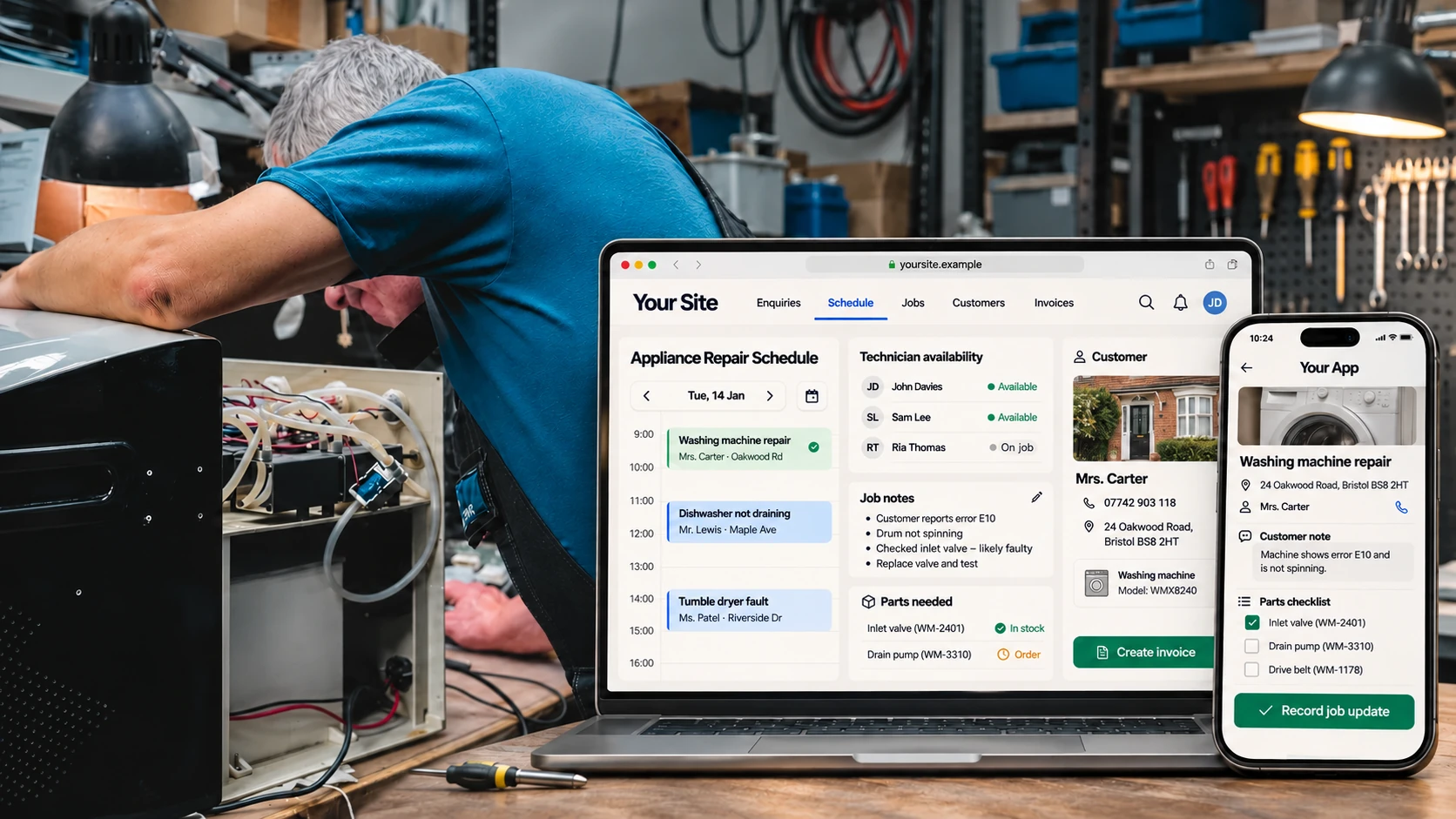
Field service job management platform concept: Skilled technician working on appliance repair in a cluttered workshop environment. A desktop website and matching phone show the digital business.Illustrative concept
IMAGINE THIS MOMENT

A technician finishes a repair and photographs the work, but the office cannot find the agreed quote or the note about an extra part. Your platform could connect the job's scope, schedule and completion evidence, helping the business follow through without asking the customer to explain the same issue again.

A business you can
picture.

Offer job-management software to a defined trade or field service. Connect enquiries, scheduling, job notes and invoicing around the way the team actually works on site.

Who would be glad
you built it?

Trade business owners

Coordinate jobs and customer commitments.

Field technicians

Find scope and record completed work.

Office coordinators

Prepare follow-up and invoicing from clear records.

Where the money
could come from.

Businesses could pay a recurring fee based on team size or defined workflow scope. Setup and data migration can be separate services. The product sells coordination and records, while the business earns from field work; support, notifications and integrations create ongoing software costs even after the initial build.

The part you could
make your own.

A smooth site-to-office handover could be your edge. Useful photos, approved changes and clear next actions may remove everyday friction more effectively than elaborate reports. Test the full job cycle with the people doing the work.

An angle to test with the people you want to serve.

Start with something
worth using.

Start with one trade, job enquiries, scheduling, agreed scope and completion notes. Give technicians a simple mobile view and record any approved changes. Add invoicing integrations only after the job record is reliable.

  • Job requests and quotations
  • Team schedules and site records
  • Completion notes and invoice preparation

Give the promise
something to stand on.

WHAT YOU BRING

You need knowledge of a particular trade's working day. Phone usability, variable connectivity, customer approval and a clear path from site notes to office action matter more than a wide collection of disconnected tools.

Permissions, offline drafts and change approvals matter. A completion photograph should not automatically imply customer acceptance. Keep agreed extra work separate from an informal note.

Let a small beginning
teach you something.

Follow a small team through several ordinary jobs, including one requiring a change. Test whether a technician can record the useful details on site and whether the office can finish the next step without chasing them.

THE QUESTION TO TEST

Can the office understand what was agreed and completed from the job record without interrupting the technician's next visit?

Look for these signs

  • Jobs show current scope and responsibility
  • Changes receive customer approval
  • Completion records support accurate follow-up
WHEN THE FIRST VERSION HAS TAUGHT YOU MORE
Where you could take it next

Add stock, maintenance plans and accounting connections after the main job workflow becomes dependable.

A useful role for AI

The job it could help with

Convert a technician’s recorded notes into a draft completion summary with the reported work, parts and follow-up questions separated.

What stays in human hands

The technician verifies the record and the office checks approvals before it supports a customer message or invoice.

A little more
clarity.

Does every technician need a full dashboard?

Usually they need a focused view of the next job, contact, scope and required record. Test the screen while someone is actually working on site rather than shrinking an office interface onto a phone.

What if the work changes after arrival?

Provide a clear change request and approval record, including any revised price or timing. A technician's note should not silently become evidence that the customer accepted additional work.

SOMETHING TO LEARN FROM

Jobber is a reference for field service business software.

WHAT COULD GO INSIDE

A few additions
to explore.

Quote-to-invoice workflowKeep the agreed price and scope connected to the invoice, so a good client conversation does not become a trail of mismatched documents.Document and information collectionGive customers a clear preparation list and your team one place to see what has arrived, what is missing and what needs review.Staff roles and delegated managementLet trusted colleagues handle their part of the business without making every task depend on the owner's account.
MAKE ROOM FOR YOUR VERSION

Now picture it
with your name on it.

Your people. Your priorities. The version you keep thinking about. Answer a few questions and leave with a starting plan you can keep.

Free to explore. No account or email needed for your starting plan.

PICTURE THE MOBILE APPField service app

Let the job record keep up with the work.

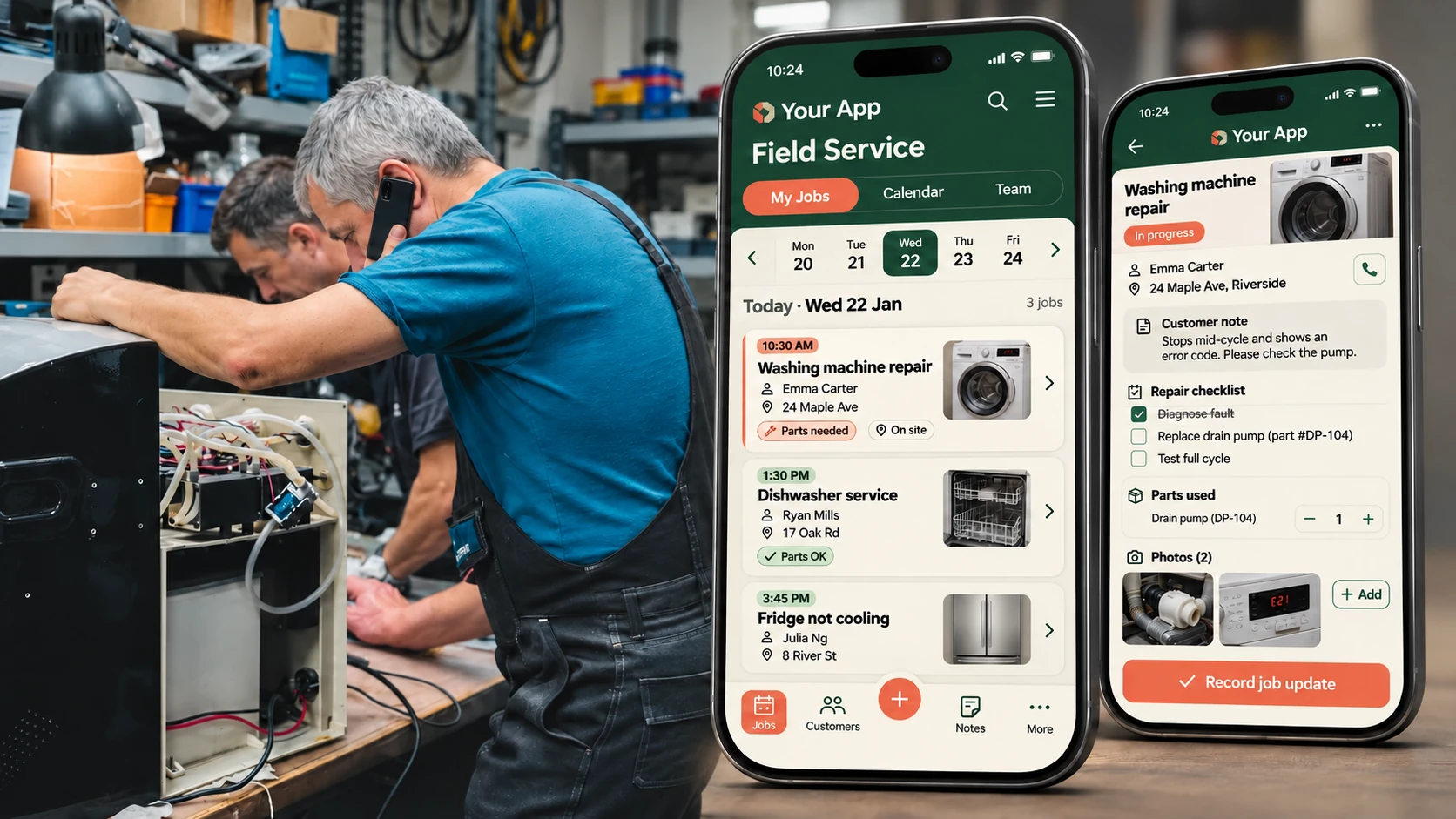
A technician may finish a job before there is time to write down what happened. You could build a field service app that keeps the brief, photographs, parts used and customer acknowledgement together. Start with one trade and make recording the work feel like part of the job, not a second job afterwards.

Skilled technician working on appliance repair in a cluttered workshop environment. Two phone screens preview the field service app, with no desktop view.App concept
IMAGINE THIS MOMENT

A repair is finished, but the parts used and the follow-up recommendation remain in the technician's head. By the next appointment, those details are harder to reconstruct. Your app could make a short, trade-specific job record part of finishing the work, giving the office and customer a clearer handover.

One useful moment.
A reason to open it.

A technician opens the assigned job, checks the brief and records the work and parts used. Any unfinished task is clearly marked for follow-up.

Who would be glad
you built it?

Field technicians

Record the work while the details are fresh.

Service coordinators

See what remains to be arranged.

Business customers

Receive a clear account of the completed visit.

A place in their life.
At the right moment.

Why it belongs on a phone

The useful information is beside the equipment or customer. Camera capture, offline notes and short job updates make the phone suitable for recording work before the technician moves on.

A reason to come back

Technicians return for each job and supervisors for the next review or follow-up. The app should preserve enough context that another team member can understand the record later.

Camera & scanningWorks offlineOn-the-go records

Where the money
could come from.

A service business could pay a team subscription for job records and coordination. Optional trade-specific form setup can be priced separately. Onboarding, storage, support and keeping forms aligned with the business process all cost money. Test record quality and follow-up clarity before claiming savings or fewer callbacks.

The part you could
make your own.

Focus on the details one trade repeatedly loses between the worksite and the office. A short, useful completion form could be a stronger advantage than a long list of generic field-service functions.

An angle to test with the people you want to serve.

Start with something
worth using.

Start with assigned jobs, a short checklist, photographs and parts used. Add a clear follow-up status. Design the record around one trade before connecting invoicing or building a broad maintenance platform.

  • Assigned jobs with customer and equipment notes
  • Trade-specific work checklist
  • Photos and parts-used records
  • Completion acknowledgement and follow-up status

Give the promise
something to stand on.

WHAT YOU BRING

You bring knowledge of a particular trade and access to a service team. Agree what a completion record means and which inspections or professional sign-offs remain separate from the app.

Permissions, offline drafts and change approvals matter. A completion photograph should not automatically imply customer acceptance. Keep agreed extra work separate from an informal note.

Let a small beginning
teach you something.

Observe a willing technician's existing paperwork process, then trial the app on suitable routine jobs. Ask the office whether the record contains what it needs to close or continue the job.

THE QUESTION TO TEST

Can the office understand the work completed and the next action without calling the technician to reconstruct the visit?

Look for these signs

  • Job records include relevant parts and notes.
  • Follow-up work is clearly identified.
  • Customer acknowledgements have an explained purpose.
WHEN THE FIRST VERSION HAS TAUGHT YOU MORE
Where you could take it next

Add stock, maintenance plans and accounting connections after the main job workflow becomes dependable.

A useful role for AI

AI could turn a technician’s approved voice note into a draft job summary. The technician should check the wording, equipment details and work recorded before finalising it.

A little more
clarity.

Does a customer signature certify the repair?

Only the agreed wording and service process determine what an acknowledgement means. It may confirm attendance or receipt of a report; avoid presenting it as a universal quality certification.

Can it work in poor signal?

A useful first version can save a local draft and show pending uploads. Photos and completion records need a clear sync result before the technician assumes the office has them.

SOMETHING TO LEARN FROM

Jobber is a reference for field service business software.

WHAT COULD GO INSIDE

A few additions
to explore.

Quote-to-invoice workflowKeep the agreed price and scope connected to the invoice, so a good client conversation does not become a trail of mismatched documents.Document and information collectionGive customers a clear preparation list and your team one place to see what has arrived, what is missing and what needs review.Staff roles and delegated managementLet trusted colleagues handle their part of the business without making every task depend on the owner's account.
MAKE ROOM FOR YOUR VERSION

Now picture it
with your name on it.

Your people. Your priorities. The version you keep thinking about. Answer a few questions and leave with a starting plan you can keep.

Free to explore. No account or email needed for your starting plan.
KEEP THE POSSIBILITIES OPEN

Something else
might speak to you.