A small-business owner knows they photographed a receipt, but it is lost among family pictures and delivery screenshots. Your app could turn that capture into a named, organised document. The opportunity lies in a useful filing routine for a particular audience, rather than another camera button with a different logo.
One useful moment.
A reason to open it.
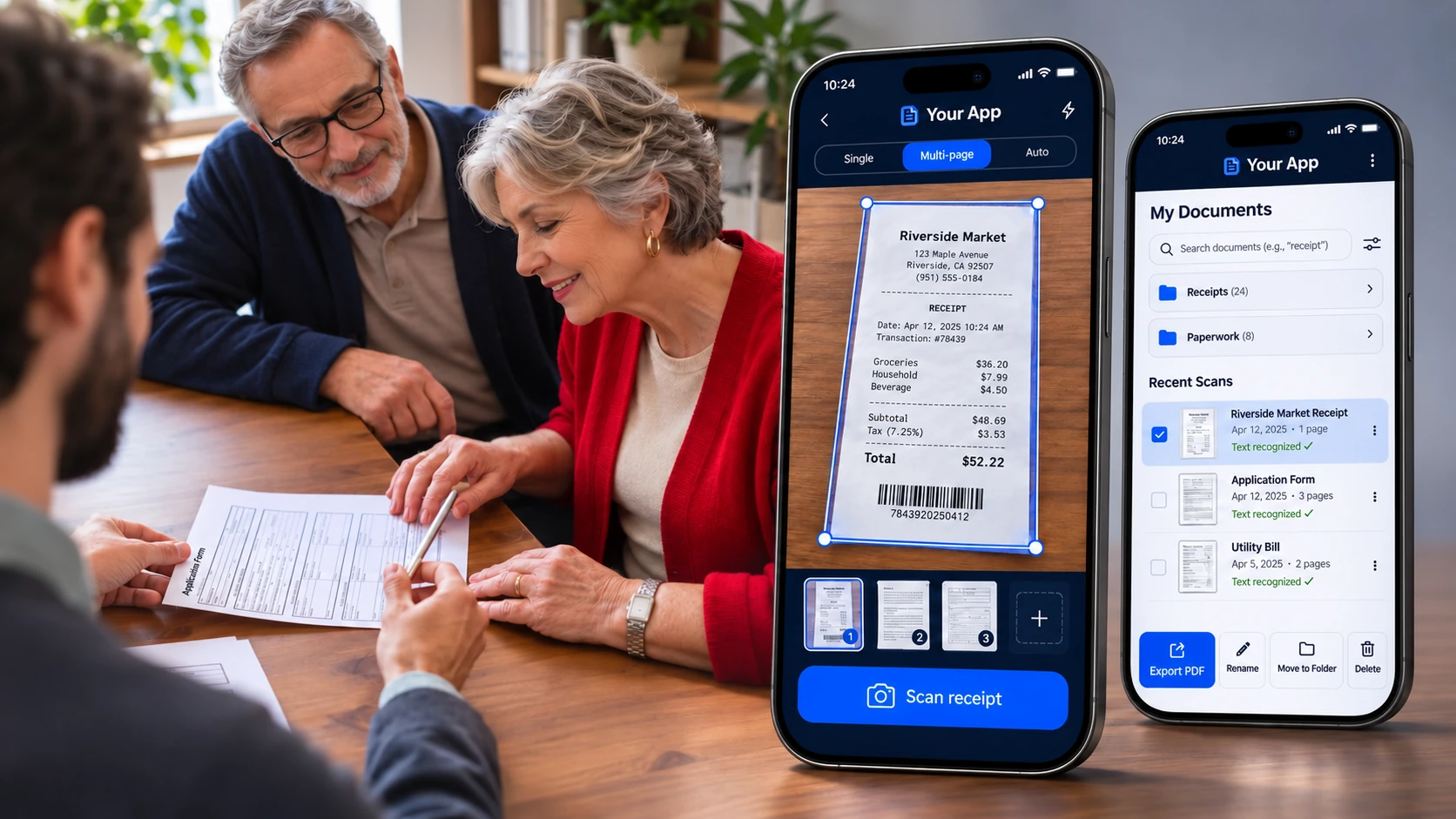
A user captures two pages, checks the crop, gives the document a useful name and exports a readable PDF while retaining the original images.
Who would be glad
you built it?
Independent traders
Keep purchase records under useful names.
Students
Combine photographed pages into one file.
Field staff
Send a readable document from a phone.
A place in their life.
At the right moment.
Why it belongs on a phone
The camera captures paper where people receive it. Offline capture keeps a weak connection from interrupting the moment.
A reason to come back
Every new receipt, application or signed page adds another reason to return. The saved collection becomes more useful when retrieval stays simple.
Where the money
could come from.
A one-time upgrade could unlock a focused document toolkit, while optional backup has a separate recurring price. Users pay for organisation and retrieval. Storage, text processing and support have costs; a lifetime storage promise should not be implied by a simple app purchase.
The part you could
make your own.
Choose a document routine with meaningful labels, such as job receipts or course notes. Faster retrieval within that routine could matter more than offering every possible file-management feature.
An angle to test with the people you want to serve.Start with something
worth using.
Start with capture, crop, page order, folders and PDF export. Preserve originals. Add text search only when recognition errors are visible and users can correct important names or amounts.
- Capture and straighten several pages
- Name documents and add folders
- Search text after checking recognition
- Export a selected document as PDF
Give the promise
something to stand on.
Bring an understanding of one document-heavy routine. Decide which files remain on the device, what syncing includes and how users retrieve their originals if they stop using the service.
Check blurry images and recognition errors before export. Explain storage, deletion and backup choices clearly; a scanned copy does not automatically replace an original document.
Let a small beginning
teach you something.
Ask willing users to organise a small set of non-sensitive sample documents. Return later with a retrieval task and observe whether their naming and folders help them find the right file.
Can the user retrieve and share the correct readable document after it has disappeared from their immediate memory?
Look for these signs
- Pages export in the intended order.
- Documents have recognisable names.
- Users retrieve a specific file later.
A little more
clarity.
Why would someone pay when a camera is free?
The paid benefit needs to be organisation, readable multi-page export or another specific workflow. Test that benefit with your audience before investing in an elaborate scanning interface.
Is recognised text always correct?
No. Treat it as a searchable aid and let users review important details. Keep the original image available so a mistaken reading can be checked.
Must the first version use cloud storage?
No. Start with documents stored on the phone and an explicit export option. Protected backup can be a separate, clearly explained upgrade.
Adobe Scan is a mobile document scanner that creates PDFs. Use its capture workflow as a reference while testing a narrower audience of your own.
Now picture it
with your name on it.
Your people. Your priorities. The version you keep thinking about. Answer a few questions and leave with a starting plan you can keep.
Free to explore. No account or email needed for your starting plan.