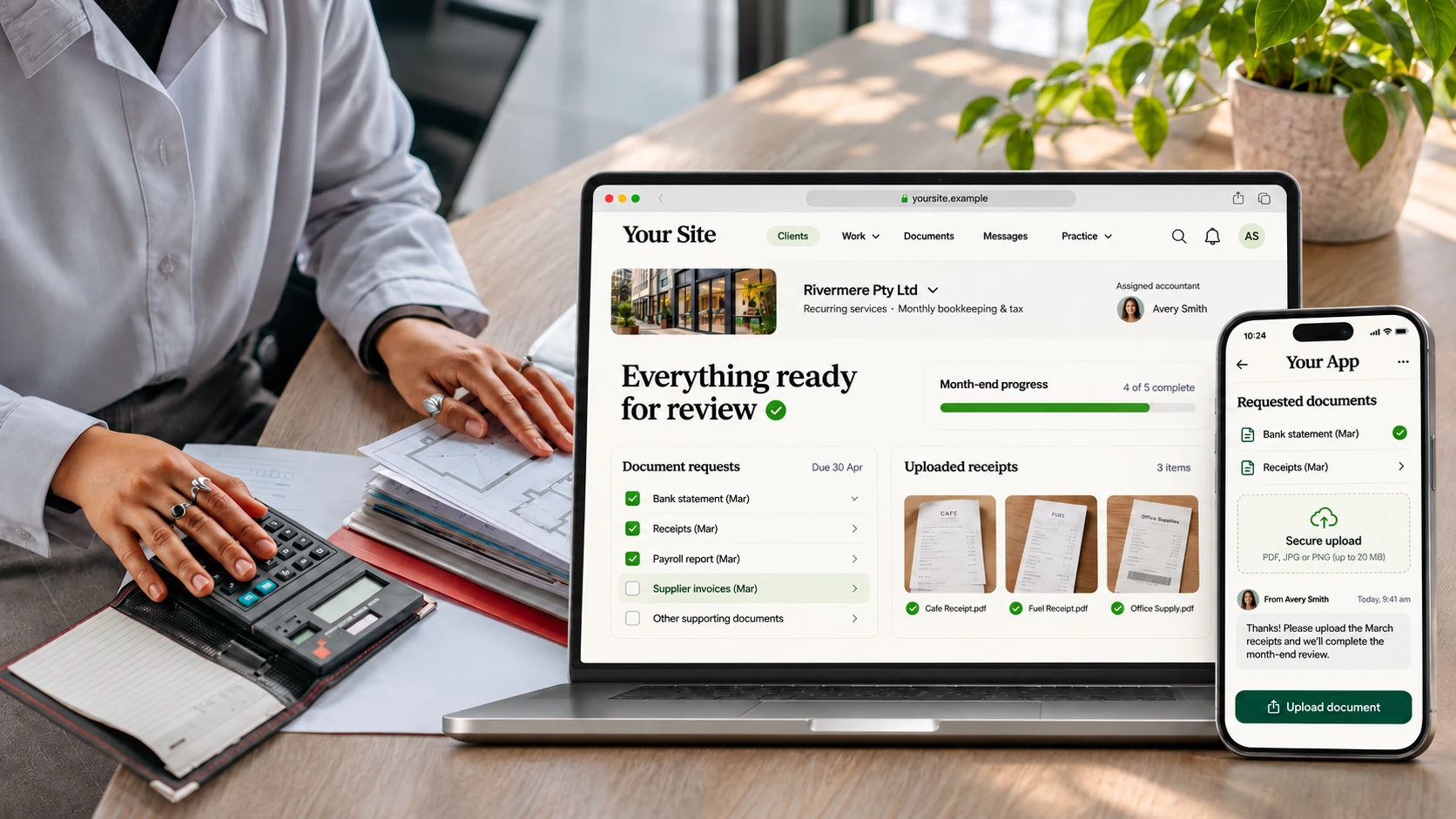
An accountant needs one missing statement to finish a client's work, while the client thinks they already sent everything. Your workspace could make the request, deadline and upload status understandable, so the next professional review begins with the right information instead of another round of chasing.
A business you can
picture.
Offer practice-management software to accounting and tax firms. Organise client document requests, task ownership and approved communication around recurring service work.
Who would be glad
you built it?
Accounting practice teams
Coordinate recurring client document requests.
Business clients
Understand what to send and why.
Practice managers
Assign reviews and monitor unresolved tasks.
Where the money
could come from.
Firms could pay a subscription for client requests and workflow management, with migration and setup separately scoped. The fee covers secure organisation and support; accounting or tax advice remains the firm's professional service. Storage, integrations and helping clients use the portal create continuing costs that should inform pricing.
The part you could
make your own.
Clear requests for non-specialists could distinguish your workspace. A short explanation, an example document and visible review status may reduce confusion more than another folder structure. Test it with clients who are uncomfortable with accounting terminology.
An angle to test with the people you want to serve.Start with something
worth using.
Choose one recurring service workflow. Build approved request lists, secure upload, completion review and task ownership. Use plain explanations for clients and keep automatic accounting or tax conclusions outside the administrative first version.
- Client document checklists
- Staff review and deadline tracking
- Private messages and approved deliverables
Give the promise
something to stand on.
You need collaboration with accounting professionals and careful handling of client records. Document collection, review and advice should remain distinct, with permissions and retention aligned to the firm's agreed service and responsibilities.
Financial records need secure handling, clear permissions and retention rules. The software should not independently present tax conclusions or mark work approved without the responsible professional’s review.
Let a small beginning
teach you something.
Pilot with a firm and willing clients through one bounded document cycle. Ask clients to explain each request and let staff assess whether uploaded information is actually usable, rather than counting a file as complete merely because it exists.
Can a client supply the required information and understand any missing item before the professional review is delayed?
Look for these signs
- Requests explain the needed document clearly
- Staff review completeness explicitly
- Clients can see the next required action
A little more
clarity.
Does uploading a file mean the task is complete?
Separate received from reviewed. Staff may need to check the period, content or quality before accepting a document, and clients should see a clear reason if something else is required.
Can the workspace answer tax questions automatically?
That is outside a basic document-management service. Route questions to the appropriate professional and keep any later assistance subject to qualified review rather than presenting administrative software as personalised tax advice.
TaxDome is a reference for accounting practice software.
Now picture it
with your name on it.
Your people. Your priorities. The version you keep thinking about. Answer a few questions and leave with a starting plan you can keep.
Free to explore. No account or email needed for your starting plan.