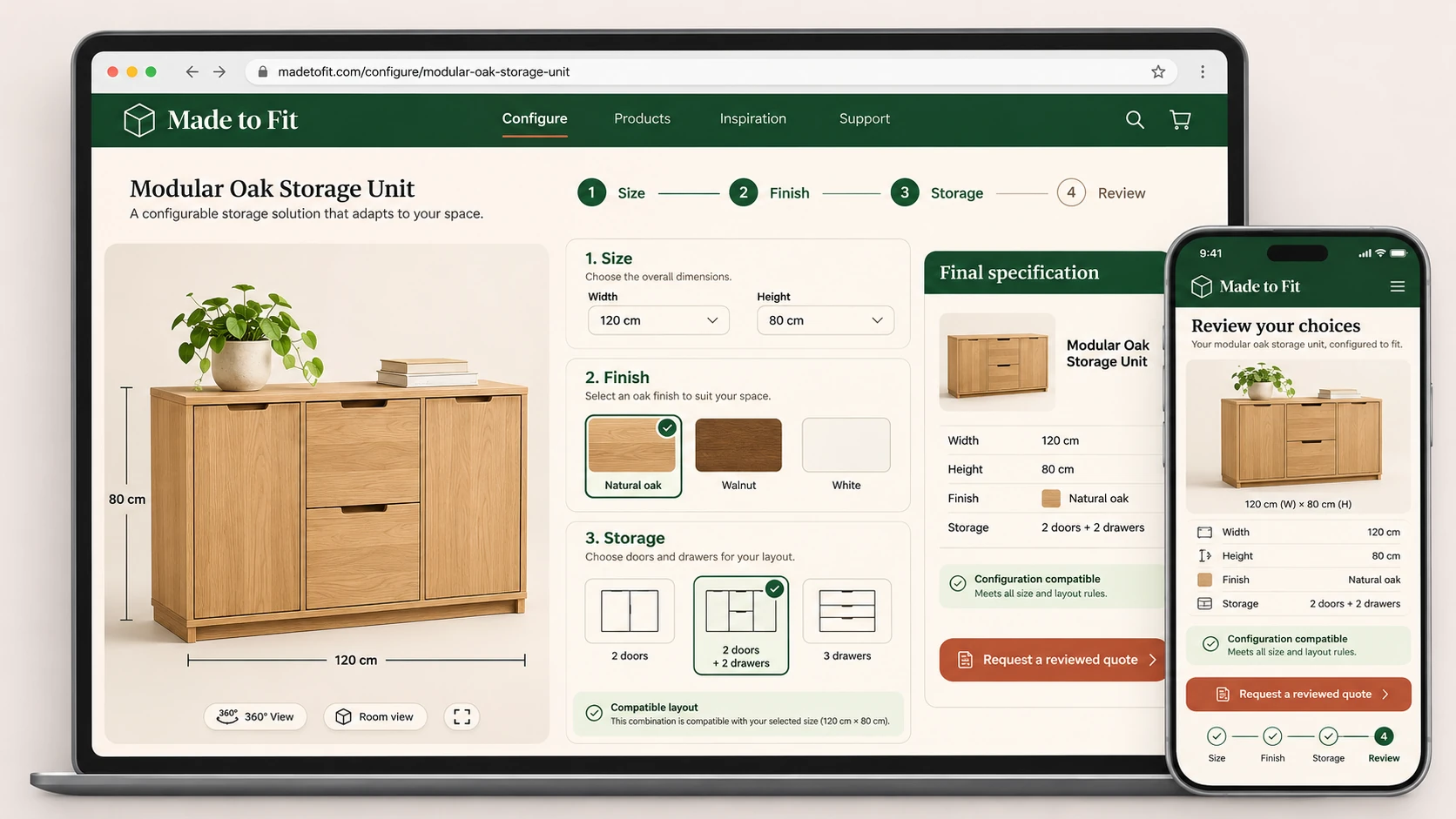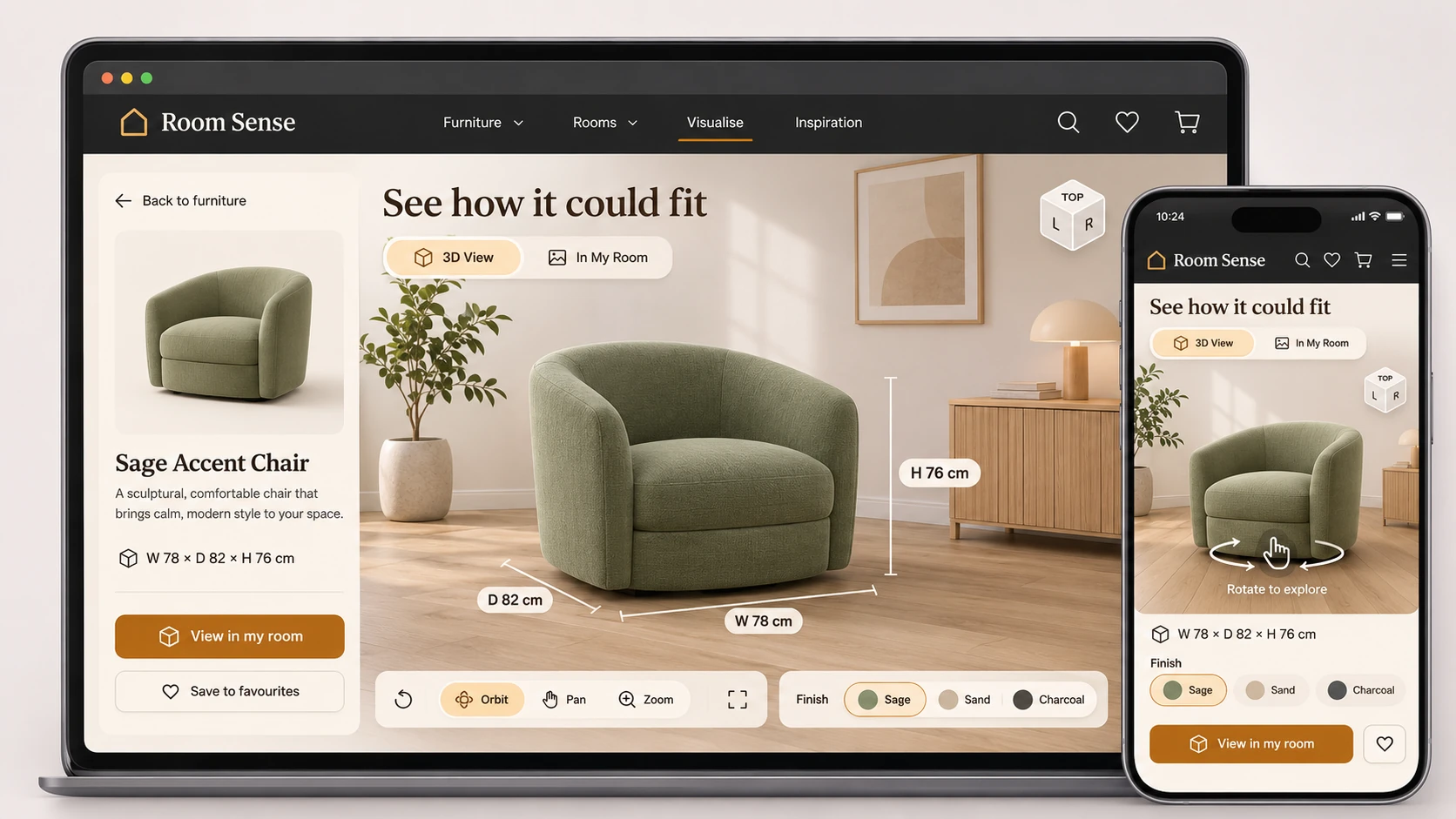
A customer likes a sofa online but cannot picture how its shape would sit in the room. A considered visual tool could let them rotate it or explore an arrangement, bringing the choice closer to something they can imagine living with. The view still needs accurate specifications and a clear explanation of what it can show.
Customers rely on flat photographs and struggle to imagine the shape or arrangement, while important size questions remain unresolved.
Simple visual controls help them explore the item in context, with real dimensions, clear limitations and useful fallback images close at hand.
Where it could
make a difference.
Furniture brands
Show form and arrangement beyond one photograph.
Interior designers
Explore a proposed room composition.
Equipment suppliers
Help buyers inspect important visible details.
Useful on: Online store, Property website, Design website.
What this could mean
for your business.
Visual exploration can support considered purchases by making form and arrangement easier to understand. It requires asset production, updates and performance work. Review useful interactions and remaining pre-purchase questions, rather than assuming that an impressive animation will increase sales or reduce returns automatically.
Start with something
worth using.
Start with a small product set, simple controls and supporting dimensions. Provide useful still images as a fallback. Test loading and interaction on ordinary phones before expanding the visual catalogue.
- Suitable 3D or visual assets
- Simple interaction controls
- Accurate supporting dimensions
Give the promise
something to stand on.
You need suitable visual assets, accurate dimensions and a realistic device experience. Decide which parts are illustrative and which reflect measured product data, including any colour or scale limitations.
Quality depends on suitable models, images and measurements. Plan asset creation, loading performance and a useful fallback for visitors whose devices cannot support the richer experience.
- Accurate visual assets
- Performance and device testing
- Clear product specifications
How it fits what you already have
Check the website's rendering capability, asset formats, product versions and device performance. Decide how new finishes or dimensions update the model, and preserve accessible product information when interactive viewing is unavailable.
Let a small beginning
teach you something.
Ask intended customers to explore a familiar product and explain its size or arrangement. Compare their interpretation with the actual specification and observe where the visual creates an incorrect expectation.
Does the experience help the customer picture the item while still understanding the dimensions and limits that affect a real purchase?
Look for these signs
- Visuals match the stated product version.
- Dimensions remain easy to find.
- Supported devices provide a usable fallback.
A little more
clarity.
Does room placement prove an item will fit?
Not by itself. The customer still needs accurate measurements, including access and installation requirements where relevant. Present visual placement as support for the decision, not a substitute for checking dimensions.
Will colours look identical on every screen?
No. Displays and lighting affect appearance. Keep product specifications and appropriate sample or enquiry options available when an exact finish matters to the purchase.
Could this work with my existing website?
We would check how your current website is built, what it already does and which services need to connect. That helps us choose a suitable addition and avoid paying twice for something you already have.
What would this change
in your business?
Your customers. Your working day. The part you would love to make easier. Answer a few questions and leave with a starting plan you can keep.
Free to explore. No account or email needed for your starting plan.