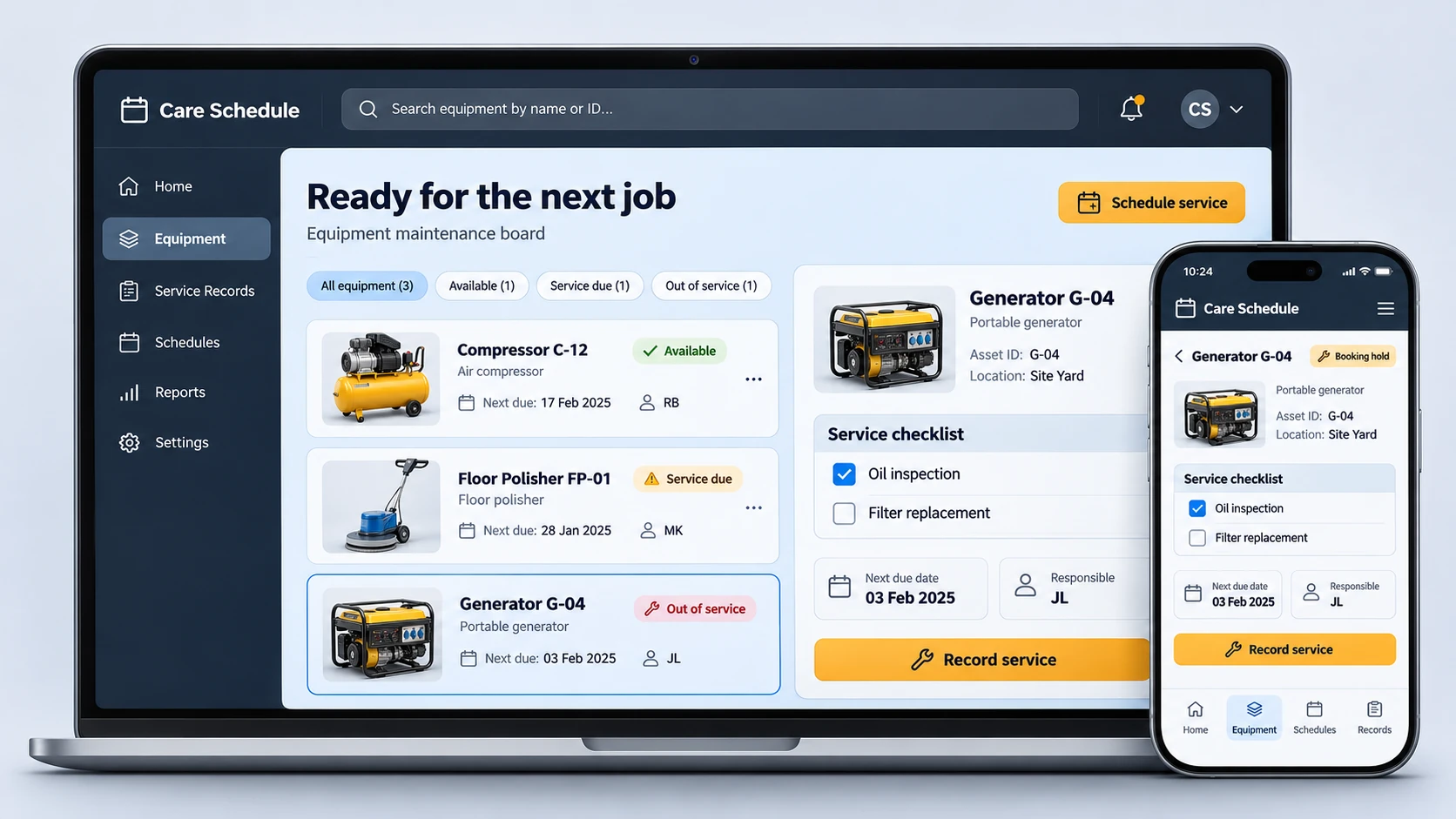
A workshop relies on a machine whose service note is in a folder only one person knows. A shift changes and the next operator cannot tell whether the reported issue was resolved. A maintenance view could bring due work, responsible people and out-of-service status together, supporting the qualified people who look after the equipment.
Service dates and unresolved issues sit in separate notes, leaving operators or booking staff uncertain whether an asset is ready for use.
The asset record shows due work, the responsible person and current availability, with completed service linked to its supporting evidence.
Where it could
make a difference.
Workshops
Keep service history beside the asset record.
Rental businesses
Block equipment that should not be hired.
Fleet teams
See due work and responsible service contacts.
Useful on: Business portal, Rental website, Operations app.
What this could mean
for your business.
A shared view can support planned maintenance and clearer equipment availability. It may help avoid missed administration, while actual reliability depends on proper care and use. Review overdue tasks, unresolved issues and booking conflicts alongside the effort needed to maintain accurate records.
Start with something
worth using.
Start with a defined asset list, service dates, responsible people and out-of-service status. Link the actual service record. Add usage-based schedules only where reliable readings and appropriate requirements are available.
- Asset and service records
- Due dates and responsible people
- Out-of-service status
Give the promise
something to stand on.
You need accurate maintenance requirements and qualified service responsibility. Decide who may mark work complete or return an item to use; a reminder or checkbox should not substitute for the necessary inspection.
Use the appropriate manufacturer and professional guidance for the equipment. The system records and reminds; it cannot certify that machinery is safe simply because a box was ticked.
- Correct maintenance requirements
- Qualified service responsibility
- Current asset records
How it fits what you already have
Check asset identifiers, maintenance requirements, booking calendars and staff permissions. Decide how service blocks reach rental or scheduling tools and who can approve a return to use after work is completed.
Let a small beginning
teach you something.
Review selected assets with the responsible service team. Test a due task, an unresolved issue and a return-to-use decision, checking that operators and booking staff see the correct status.
Can the team identify whether an asset is available for use and find the responsible person's supporting service record?
Look for these signs
- Due work has a named owner.
- Unresolved issues affect availability.
- Completion records identify the actual service performed.
A little more
clarity.
Does a reminder prove the equipment is safe?
No. The reminder helps the team organise work. Qualified inspection, maintenance and the organisation's operating procedures still determine whether the equipment is suitable to use.
Can any staff member clear an out-of-service flag?
That should follow your responsibility rules. Restrict the decision to the appropriate person and retain the record explaining why the asset was returned to service.
Could this work with my existing website?
We would check how your current website is built, what it already does and which services need to connect. That helps us choose a suitable addition and avoid paying twice for something you already have.
What would this change
in your business?
Your customers. Your working day. The part you would love to make easier. Answer a few questions and leave with a starting plan you can keep.
Free to explore. No account or email needed for your starting plan.