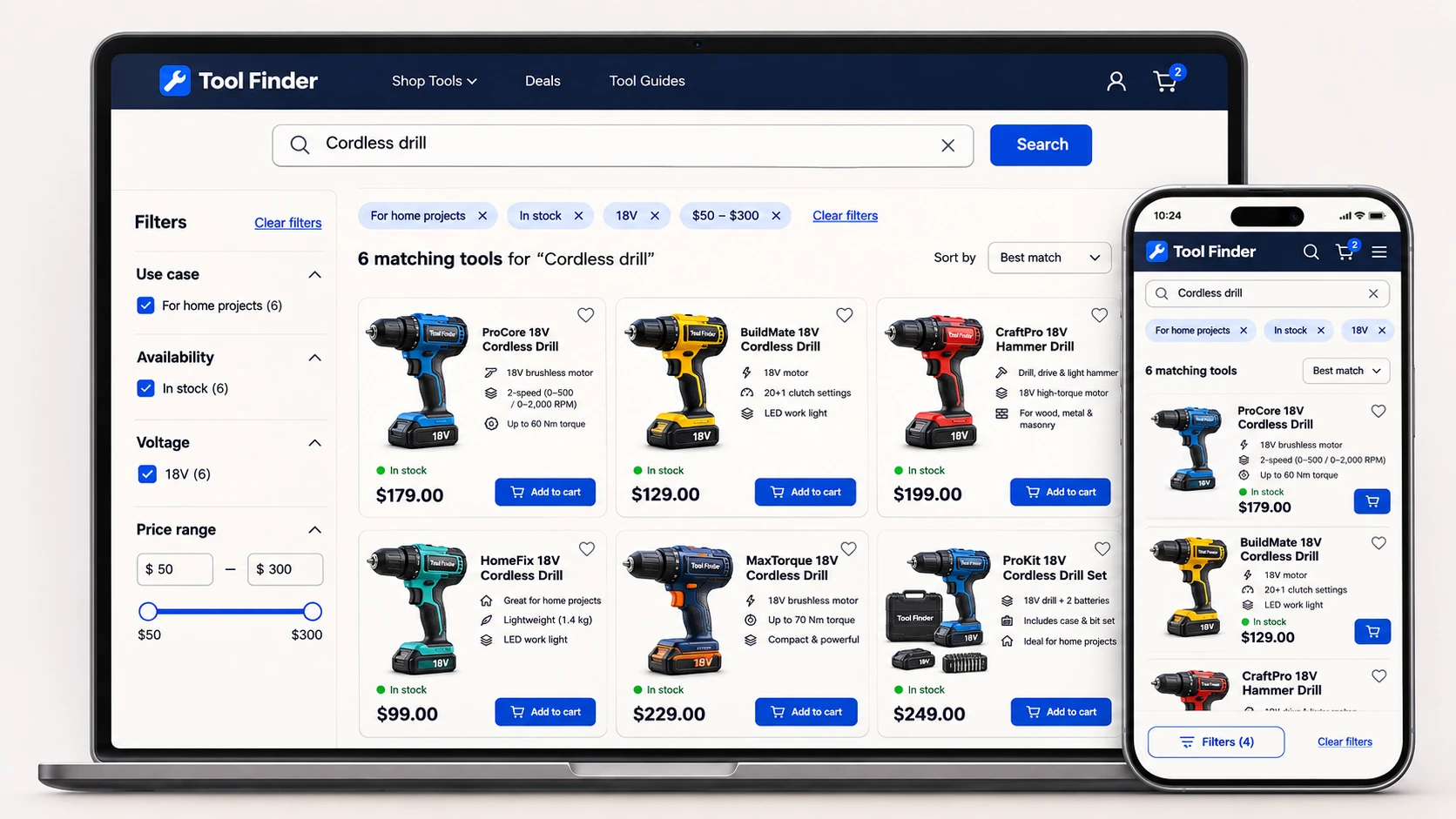
Your site contains the service someone needs, but they search using an everyday phrase that matches none of your category labels. Useful search and filters could give them another route in, combining familiar words with meaningful choices and a helpful way forward when there are no results.
Visitors scroll through many items or guess your category names, and an unsuccessful search leaves them without a useful next step.
Familiar search terms and meaningful filters narrow the collection, preserve context and help visitors recover when no suitable result appears.
Where it could
make a difference.
Catalogue businesses
Help customers narrow a large collection.
Publishers
Connect readers with relevant material.
Directory operators
Support searches by practical requirements.
Useful on: Online store, Directory, Publication, Idea library.
What this could mean
for your business.
Good discovery can help visitors reach relevant offers and support enquiries or purchases. Search activity alone is not a sale. Review successful finds, empty results and next-step actions, while budgeting for catalogue maintenance and search quality checks as the collection grows.
Start with something
worth using.
Start with keyword search, relevant synonyms and a few useful filters. Keep selections visible and easy to clear. Include understandable empty states and preserve the search when someone returns from an item.
- Keyword and synonym search
- Meaningful filters
- Clear results and empty states
Give the promise
something to stand on.
You need consistent item data and an understanding of how visitors describe their needs. Choose filters that change the decision meaningfully, and give someone responsibility for reviewing unsuccessful searches.
Keep item information structured and current. Make filters usable with a keyboard, preserve the browsing state and offer a helpful next step when nothing matches.
- Consistent catalogue data
- Relevant filter choices
- Search quality review
How it fits what you already have
Check catalogue fields, item identifiers, indexing and page navigation. Define how new or unavailable items enter results, and test filter combinations, mobile controls and search state when visitors move between results and detail pages.
Let a small beginning
teach you something.
Ask people unfamiliar with the catalogue to find specific suitable items using their own words. Review missed matches, irrelevant results and filters they misunderstand before expanding the search controls.
Can a visitor find a suitable item using familiar language and recover easily when the first search returns nothing useful?
Look for these signs
- Relevant everyday terms find useful matches.
- Active filters remain visible.
- Empty results suggest a clear next action.
A little more
clarity.
Should every data field become a filter?
No. Use fields that help the intended visitor make a choice. Too many obscure options can make a catalogue feel harder to explore, even when the underlying data is detailed.
Does search need AI immediately?
Not necessarily. Consistent data, synonyms and clear filters can solve many problems. Add more advanced matching only when observed searches reveal a need the simpler approach cannot serve well.
Could this work with my existing website?
We would check how your current website is built, what it already does and which services need to connect. That helps us choose a suitable addition and avoid paying twice for something you already have.
What would this change
in your business?
Your customers. Your working day. The part you would love to make easier. Answer a few questions and leave with a starting plan you can keep.
Free to explore. No account or email needed for your starting plan.