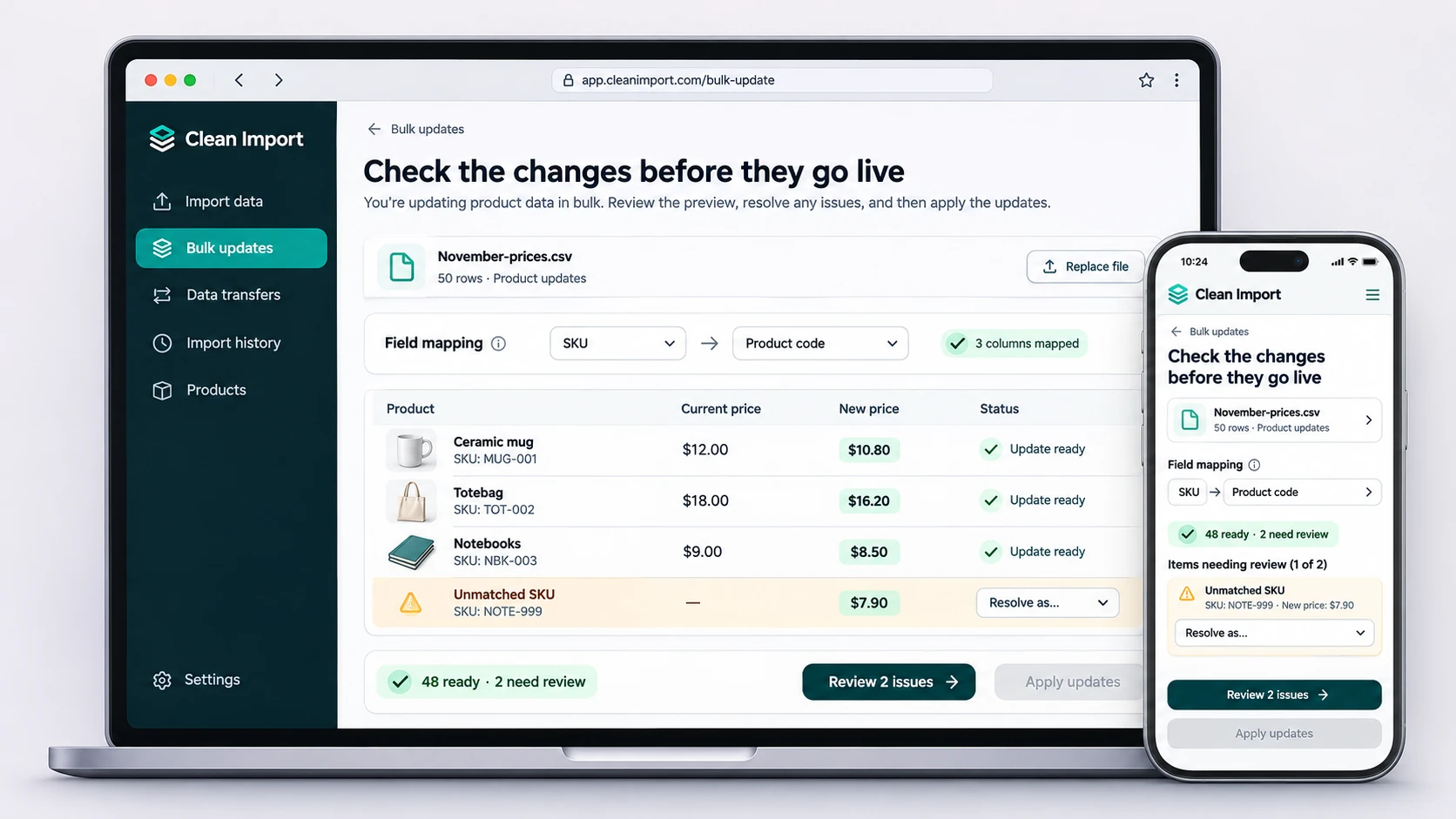
A supplier sends a new price list, and your team faces hundreds of manual edits. A bulk update could make the work more manageable, but one mismatched column could also spread the wrong price widely. A considered import gives the team a preview, validation and a way to resolve mistakes before or after applying it.
Staff repeat changes record by record or upload a file without a clear view of which existing entries it will overwrite.
A preview identifies matched records, proposed changes and errors, then records the result of the deliberately approved import.
Where it could
make a difference.
Catalogue owners
Update many product records consistently.
Membership teams
Import approved member information.
Suppliers
Transfer structured stock or pricing data.
Useful on: Online store, Directory, Marketplace, Business portal.
What this could mean
for your business.
Bulk updates can reduce repetitive entry and help a large catalogue stay current. The value depends on correct mapping and review, not just speed. Measure completed updates and correction effort together, and include preparation, staff checks and recovery work in the comparison with manual editing.
Start with something
worth using.
Start with one file format and a limited set of fields. Show matched records, proposed changes and errors before applying. Preserve a change record and test recovery on a small sample first.
- Field mapping and validation
- A preview of proposed changes
- A clear import result
Give the promise
something to stand on.
You need clean source files, stable record identifiers and a responsible reviewer. Decide what can change, which blanks mean deletion and how to restore or correct an unintended update.
Agree how records are identified, what happens to missing values and who can apply changes. Keep a suitable backup or recovery route before important bulk edits.
- Clean source data
- Stable record identifiers
- Review and recovery process
How it fits what you already have
Check record identifiers, field types, permissions and recovery options in the current system. Agree how duplicates and blank cells behave, and ensure connected stock, pricing or member records receive only the intended changes.
Let a small beginning
teach you something.
Use a copy of recent source data to test missing identifiers, duplicates and unexpected values. Have the staff member who performs the task explain the preview before approving a controlled pilot.
Can the reviewer predict which records will change and identify errors before the import affects the live catalogue?
Look for these signs
- Preview counts match intended records.
- Invalid rows have useful explanations.
- Applied changes leave a recovery record.
A little more
clarity.
Can an import overwrite existing content?
Only according to rules you deliberately choose. Make overwrite, skip and blank-field behaviour visible in the preview so staff do not discover the meaning after the update.
Should we accept any spreadsheet?
A defined format is a clearer beginning. Broader flexibility can follow once field mapping, validation and recovery are dependable for the files your team actually receives.
Could this work with my existing website?
We would check how your current website is built, what it already does and which services need to connect. That helps us choose a suitable addition and avoid paying twice for something you already have.
What would this change
in your business?
Your customers. Your working day. The part you would love to make easier. Answer a few questions and leave with a starting plan you can keep.
Free to explore. No account or email needed for your starting plan.