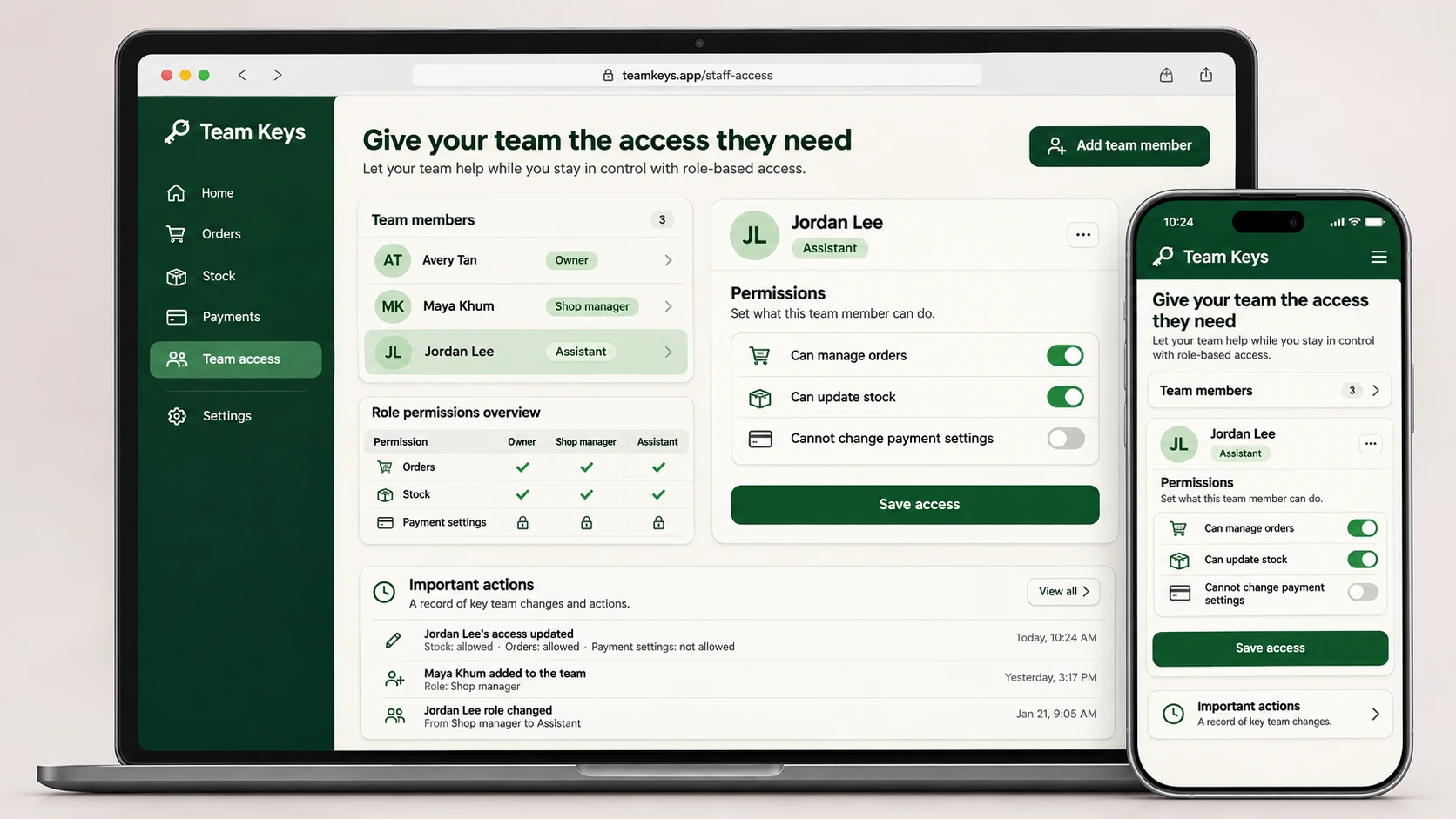
A growing team shares one login because nobody has set up individual access. When a product changes, it is unclear who edited it. Staff roles could give each person the tools needed for their work, while keeping important decisions and sensitive information within the appropriate responsibility.
Colleagues share broad access or wait for one owner to make routine changes, leaving responsibility and important edits difficult to trace.
Named accounts provide tools suited to each role, with important actions recorded and access reviewed when responsibilities change.
Where it could
make a difference.
Growing service teams
Delegate everyday administration.
Shop managers
Separate product editing from financial access.
Platform operators
Give moderators and support staff defined tools.
Useful on: Online store, Community, Client portal, Business portal.
What this could mean
for your business.
Defined roles support delegation and clearer accountability as the team grows. They can reduce dependence on one person for routine tasks, but require ongoing account management. Review task completion, access problems and account changes rather than assuming a large permission matrix automatically makes the business safer or more efficient.
Start with something
worth using.
Start with named accounts and a few understandable roles. Record important actions and test access boundaries. Avoid creating many nearly identical roles that nobody can explain or maintain.
- Role-based permissions
- Named staff access
- A record of important actions
Give the promise
something to stand on.
You need a simple permission map and someone who manages accounts. Decide how access changes when a role changes, a contractor finishes or a staff member leaves.
Define account creation and removal, recovery and ownership. Test that private information and restricted actions remain protected at the server, not just hidden from a screen.
- A permission map
- Account management owner
- Regular access review
How it fits what you already have
Check the platform's account and permission capabilities, existing shared logins and connected services. Define role ownership, recovery, departure handling and action records so access remains consistent beyond the website itself.
Let a small beginning
teach you something.
List real tasks with your team and assign the minimum suitable access for each role. Test representative accounts, including an expired or removed user, before replacing shared logins.
Can each colleague complete their authorised work while important information and actions remain limited to the right people?
Look for these signs
- Staff use individual accounts.
- Role permissions match actual tasks.
- Access is removed when responsibility ends.
A little more
clarity.
Can everyone have administrator access for convenience?
That can make routine work harder to control and review. A clear role lets someone do their job without giving them unrelated powers or exposing information they do not need.
What happens when someone leaves?
The account owner needs a prompt removal and handover process. Keep work records with the business where appropriate, while ending the former staff member's access and reviewing shared credentials.
Could this work with my existing website?
We would check how your current website is built, what it already does and which services need to connect. That helps us choose a suitable addition and avoid paying twice for something you already have.
What would this change
in your business?
Your customers. Your working day. The part you would love to make easier. Answer a few questions and leave with a starting plan you can keep.
Free to explore. No account or email needed for your starting plan.