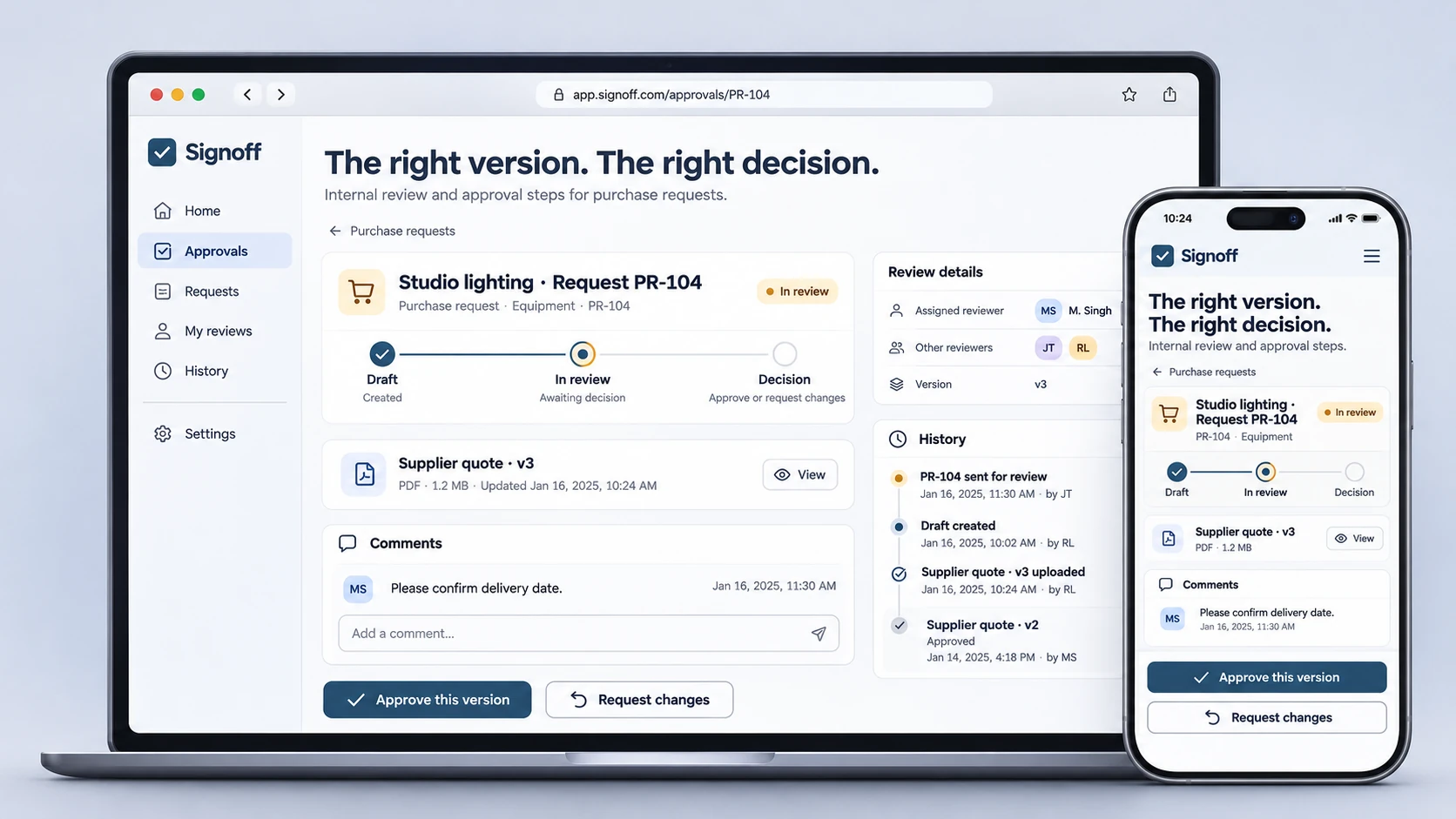
A colleague publishes a document believing it is approved, but the reviewer had only commented on an earlier draft. An approval feature could make that distinction visible, with the exact version and decision recorded together. It supports confident handovers while keeping responsibility with the people authorised to make the decision.
Approval is implied in comments or messages, leaving colleagues unsure whether the latest document or amount was actually reviewed.
The current record shows its review state, named decision-maker and exact approved version, with later changes requiring the appropriate next step.
Where it could
make a difference.
Professional teams
Review documents before they reach clients.
Purchasing departments
Approve a defined request and amount.
Content teams
Know which draft is ready to publish.
Useful on: Business portal, Client portal, Publishing website.
What this could mean
for your business.
A clear review path can reduce uncertainty and repeated checking around important work. It may support faster handovers when roles are understood. Measure unresolved reviews, version mistakes and staff effort, while keeping the cost of administration proportionate to the decision being made.
Start with something
worth using.
Start with draft, in-review and decided states, a named reviewer and version history. Keep the decision tied to the reviewed material. Add escalation rules only after the simple path is understood.
- Draft and review states
- An assigned reviewer
- A record of decision and version
Give the promise
something to stand on.
You need explicit decision roles and an exception process. Agree what approval means, who can request changes and whether editing an approved record requires another review.
Define who can approve what and when a change needs a fresh review. Keep the record tied to the item actually reviewed, rather than a document that can silently change later.
- Decision and permission rules
- Versioned records
- An exception process
How it fits what you already have
Check document versions, user roles and the actions triggered by approval. Define editing rules, substitute reviewers and audit records, and make sure connected publishing or purchasing systems respect the same decision state.
Let a small beginning
teach you something.
Walk a real but low-risk document through the proposed process with your team. Change it after review and check whether everyone understands that the earlier decision may no longer apply.
Can a colleague identify the exact reviewed version and know whether the current work is authorised to proceed?
Look for these signs
- Decisions reference the reviewed version.
- Requested changes have a clear owner.
- Edits after approval remain visible.
A little more
clarity.
Does an approval button replace responsibility?
No. It records a decision within the process your organisation defines. The authorised person still needs enough information and time to review the material appropriately.
What if the reviewer is away?
Define a substitute or escalation path with the right authority. Avoid allowing a timeout to silently approve important work unless that is an explicitly agreed and suitable process.
Could this work with my existing website?
We would check how your current website is built, what it already does and which services need to connect. That helps us choose a suitable addition and avoid paying twice for something you already have.
What would this change
in your business?
Your customers. Your working day. The part you would love to make easier. Answer a few questions and leave with a starting plan you can keep.
Free to explore. No account or email needed for your starting plan.