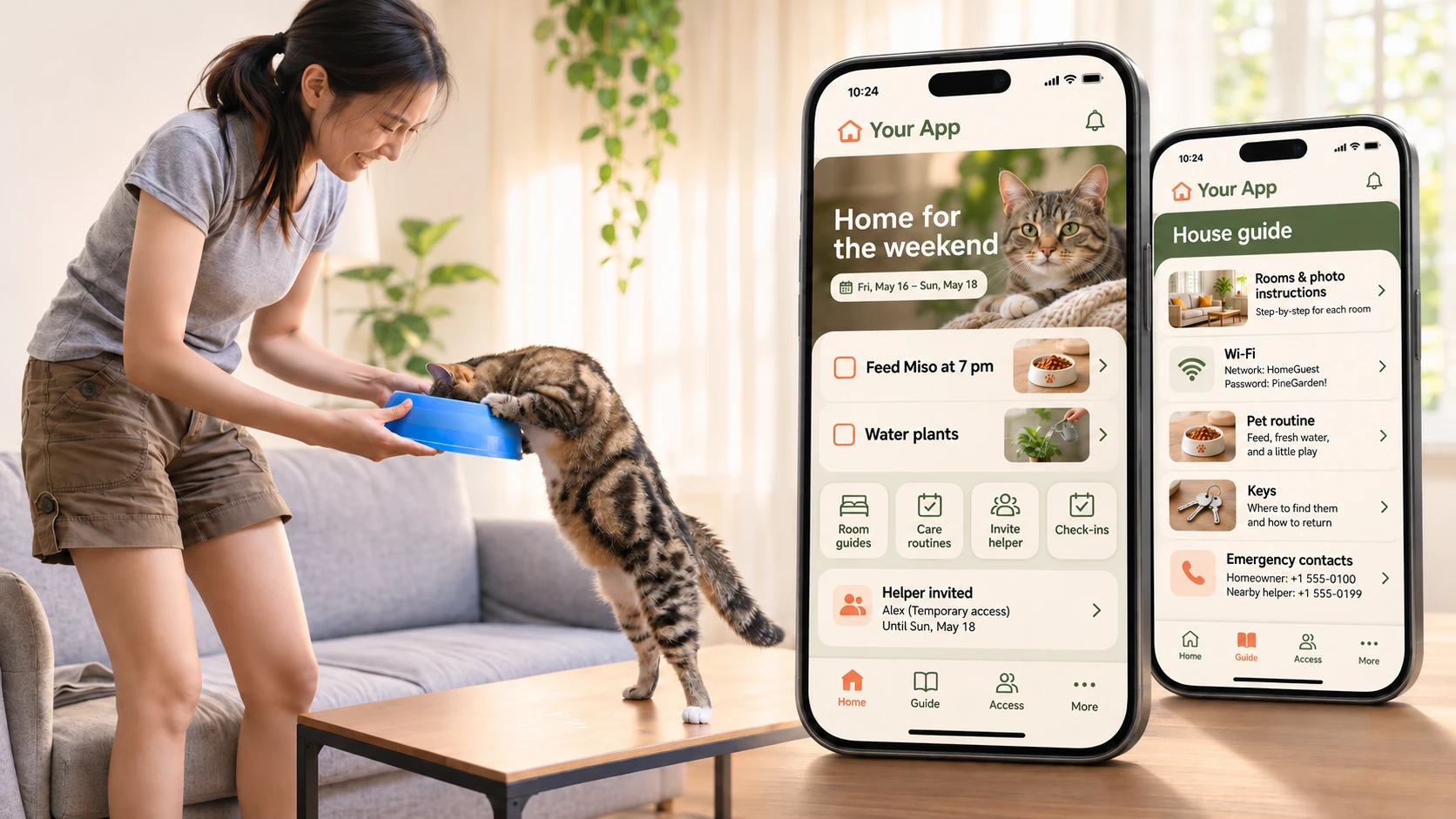
A friend agrees to look after a home, then messages about the plants, bins and the appliance with an unusual switch. Your app could gather those ordinary instructions before departure, giving the helper a clear contact route and access that ends when the stay does. It should make a thoughtful handover easier to maintain.
One useful moment.
A reason to open it.
A homeowner creates a short guide, invites the helper for defined dates and previews their access. The helper opens a room's instructions and sees the agreed contact.
Who would be glad
you built it?
Homeowners arranging a stay
Share practical routines in one place.
Invited house-sitters
Find the relevant instruction when needed.
Small sitting businesses
Keep separate client guides organised.
A place in their life.
At the right moment.
Why it belongs on a phone
The sitter opens the relevant photo beside the plant, cupboard or appliance. Chosen reminders keep agreed routines visible during the visit.
A reason to come back
Each stay reuses familiar home instructions. The next helper benefits from the small clarifications collected during the previous handover.
Where the money
could come from.
Homeowners could buy a stay pack or an annual reusable-guide plan, depending on how often they need it. Sitting businesses may pay for separate client spaces. Access management, storage and support affect costs. Test actual stay frequency before assuming that an ongoing subscription fits the audience.
The part you could
make your own.
Focus on the end of the handover as carefully as the beginning. Clear expiry, returned access and an updated guide could distinguish the product from a document that remains shared indefinitely.
An angle to test with the people you want to serve.Start with something
worth using.
Start with room-based photos, routine notes, contacts and invitations with an end date. Include revocation and a final handover. Avoid collecting more household information than the stay requires.
- Create room-by-room photo instructions
- Agree simple care routines and contacts
- Invite a helper with an end date
- Record check-ins and withdraw shared access
Give the promise
something to stand on.
You need careful temporary access and sensible handling of home information. Keep sensitive access details appropriately protected and agree which instructions, contacts and check-ins the helper actually needs.
Limit access to invited people and explain downloaded-copy limits when access ends. Keep sensitive access codes separately controlled; the app is not an emergency service.
Let a small beginning
teach you something.
Ask willing homeowners and helpers to test a fictional guide, then review a suitable real handover. Observe which instructions need pictures and whether both people understand when access ends.
Can the helper find the right instruction during the stay while the homeowner remains clear about what is shared and for how long?
Look for these signs
- Instructions identify the correct room or item.
- Helpers find the agreed contact.
- Temporary access can be withdrawn.
A little more
clarity.
Should door codes appear in ordinary notes?
Sensitive access information needs a deliberate protection and sharing design. Do not treat it like a public caption; define who can see it, when and how it is removed.
Does a check-in prove every task was completed?
It is a record supplied by the helper, not independent verification. Agree the meaning of check-ins and keep questions or exceptions easy to report.
Is this a marketplace for finding sitters?
No. It supports a homeowner and a helper they have already chosen. Recruiting or verifying sitters would be a separate service.
Now picture it
with your name on it.
Your people. Your priorities. The version you keep thinking about. Answer a few questions and leave with a starting plan you can keep.
Free to explore. No account or email needed for your starting plan.