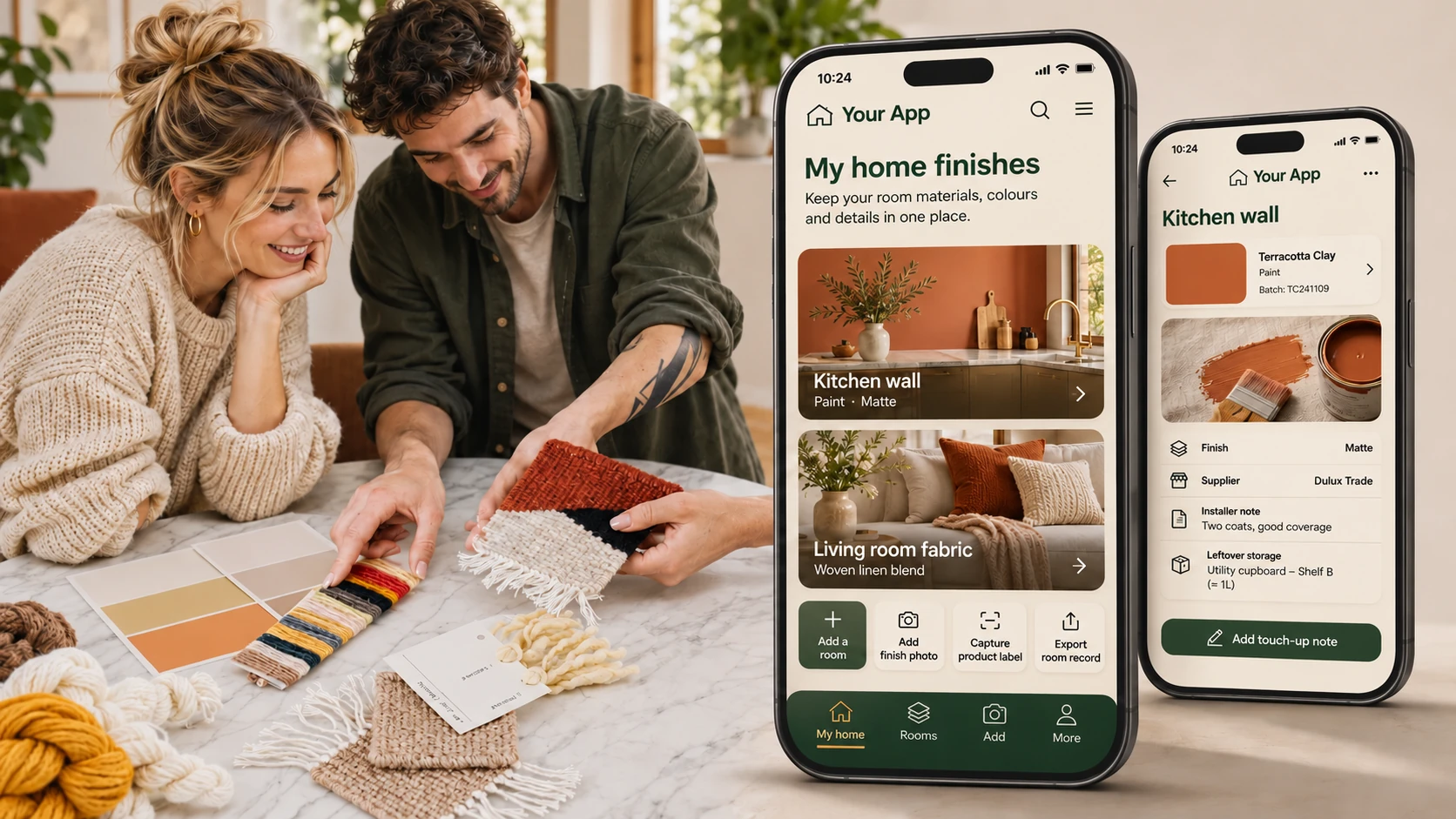
A small wall repair is ready for paint, but nobody remembers the finish, shade or where the leftover tin was stored. Your app could capture those details when the room is finished, giving the homeowner or next decorator a practical starting point months later. It preserves evidence rather than promising an invisible repair.
One useful moment.
A reason to open it.
A decorator selects the room, photographs the finish and product labels, adds leftover storage notes and exports a handover the homeowner can keep for later work.
Who would be glad
you built it?
Homeowners
Retrieve finish labels for later maintenance.
Decorators
Provide an organised client handover.
Property managers
Keep room-specific material records.
A place in their life.
At the right moment.
Why it belongs on a phone
The camera captures labels and the finished room while the materials are still there. Saved records can be opened beside a later repair.
A reason to come back
Each completed job adds useful knowledge. Touch-ups, repairs and moving home bring the records back into use, even after a long gap.
Where the money
could come from.
Homeowners could buy a complete home record with export, while decorators pay to prepare client handover packs. Storage, support and optional backup affect costs. Test which buyer sees enough value at project completion; occasional maintenance use may suit a purchase better than an ongoing subscription.
The part you could
make your own.
Focus on the end-of-job handover when labels and leftovers are still available. A decorator-created record could give the homeowner something useful that a general photo album lacks.
An angle to test with the people you want to serve.Start with something
worth using.
Start with rooms, finish photos, product labels, batch details and storage notes. Include a room export. Keep purchasing recommendations and automatic colour matching outside the first version.
- Add a room and completed-finish photo
- Capture product labels and batch details
- Record installer notes and leftover storage
- Export a selected room record for a repair
Give the promise
something to stand on.
You need a simple handover workflow and readable label capture. Record what was actually used, who supplied the information and where leftovers are kept, without assuming a product remains available indefinitely.
Preserve original labels and user-entered dates. Recorded colours and batches do not guarantee a match, availability or safe use; product guidance still needs checking.
Let a small beginning
teach you something.
Ask a willing decorator to create a handover for a completed room. Later, ask the homeowner to find the relevant product information for a hypothetical touch-up and identify what is still unknown.
Can the homeowner retrieve the actual finish record and useful context without guessing from the wall's appearance alone?
Look for these signs
- Labels are readable and room-linked.
- Leftover materials have a recorded location.
- Exports retain the original product details.
A little more
clarity.
Will the same paint always match later?
Not necessarily. Age, surface preparation, batch and application can affect the result. The record gives a decorator useful evidence, not a guarantee of an invisible touch-up.
Is this useful without frequent app use?
It may be valuable precisely when an occasional repair arises. A one-time handover purchase can be tested alongside subscriptions rather than forcing a daily engagement model.
Is this a renovation planning app?
No. Its core job is remembering completed finishes and materials for future care. Design choices and renovation estimates are separate workflows.
Now picture it
with your name on it.
Your people. Your priorities. The version you keep thinking about. Answer a few questions and leave with a starting plan you can keep.
Free to explore. No account or email needed for your starting plan.