A person puts a spare cable somewhere sensible, then months later searches every drawer except the right one. Your app could capture the item and its storage place at the moment of putting it away. The proposed value is successful later retrieval, not the pleasure of cataloguing everything in the house.
One useful moment.
A reason to open it.
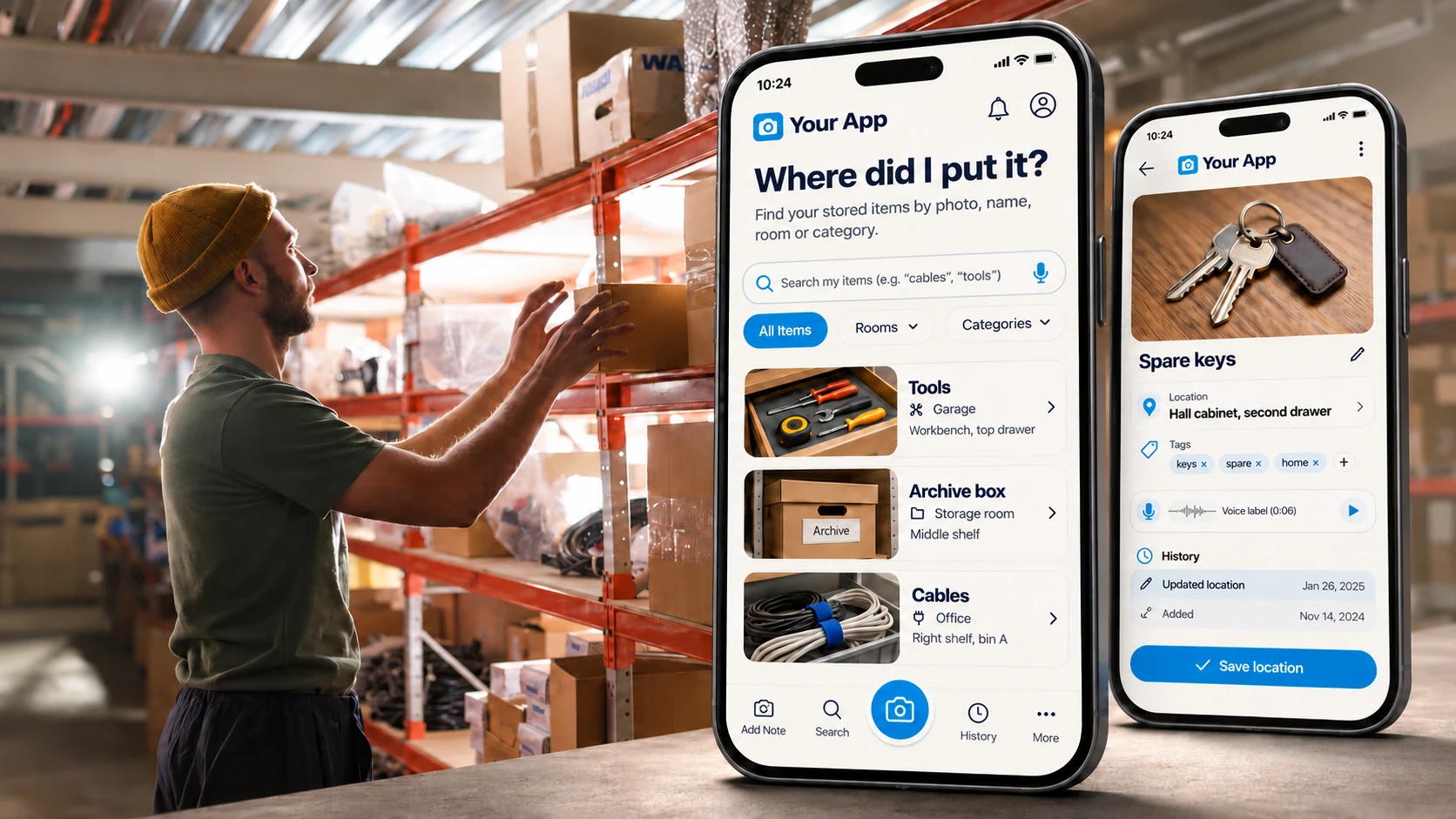
A user photographs an item in its storage place, adds a familiar label and saves it under a room. A later search returns that exact context.
Who would be glad
you built it?
Household organisers
Remember where occasional-use items are stored.
Hobbyists
Find small materials across labelled boxes.
Shared households
Share selected storage records with permission.
A place in their life.
At the right moment.
Why it belongs on a phone
A person can photograph the item and its storage spot while putting it away. A short voice label saves typing in the moment.
A reason to come back
Every item put away can make the collection more useful. Finding an item later is the moment that proves whether the habit is worth keeping.
Where the money
could come from.
A one-time purchase could unlock a private household catalogue and export, with optional paid backup or shared collections. Storage and support affect costs. Test willingness to pay after an actual successful retrieval, rather than assuming that interest in a neat catalogue becomes sustained use.
The part you could
make your own.
Make putting an item away the central capture moment. A pair of photographs and familiar words could be a more useful advantage than sophisticated automatic inventory features.
An angle to test with the people you want to serve.Start with something
worth using.
Begin with item and storage photographs, a short label, room categories and dated updates. Include local export. Add shared collections only when users understand which records others can see.
- Photograph an item and its storage place
- Add a voice or text label
- Search personal rooms and categories
- Update the location with a dated history
Give the promise
something to stand on.
You need a very simple capture routine and clear privacy choices. Avoid encouraging users to store sensitive access codes beside a location record; the first product can focus on ordinary belongings.
Offer private storage and selective sharing. Warn before including sensitive access details, and make it clear that an old recorded location may no longer be accurate.
Let a small beginning
teach you something.
Ask willing testers to record a few items they put away, then attempt retrieval later. Observe whether the original label and photograph still make sense after the memory has faded.
Can the person retrieve the item from the saved record after they no longer remember where they put it?
Look for these signs
- Records show the actual storage place.
- Location changes retain a clear date.
- Searches use words the owner remembers.
A little more
clarity.
Must every possession be catalogued?
No. Begin with items that are important but rarely used. A small useful collection can test the idea without turning household organisation into a large project.
Can image recognition name the item?
It could suggest a label later, but the owner's own words may be more useful for retrieval. Any suggestion should remain editable and should not replace the storage context.
Does it track an object automatically?
No. The first version remembers locations people record themselves. Automatic trackers would be a separate hardware and permissions project.
Now picture it
with your name on it.
Your people. Your priorities. The version you keep thinking about. Answer a few questions and leave with a starting plan you can keep.
Free to explore. No account or email needed for your starting plan.